

Size guide
Real Estate Listing Photo Size and MLS Requirements
Updated
Short answer
Most MLS feeds expect landscape JPGs around 4:3. PiCraft exports a 2048×1536 px MLS file and a 1600×1200 px web JPG under 1 MB. Many boards accept 1024×768 px as a minimum, but maximum file weight often falls between 5 MB and 10 MB—check your MLS. Label virtually staged photos and keep unedited originals.
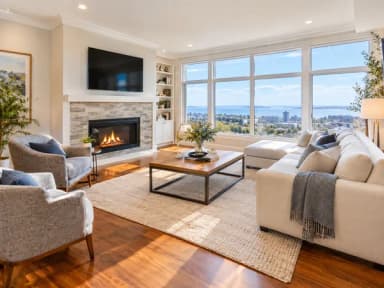
Make it with PiCraft
Real Estate Listing Photo Editor
Brighten, declutter, virtually stage or twilight-convert property photos for MLS.
Listing photo specs at a glance
Residential listings in North America usually upload still photos through the MLS or a portal that enforces the MLS rules. Requirements differ by board, but landscape aspect ratio, minimum resolution and file size caps show up everywhere.
| Setting | Typical requirement | PiCraft output |
|---|---|---|
| Orientation | Landscape | 4:3 landscape |
| MLS-oriented size | 2048×1536 px suits many systems; 1024×768 px is a common minimum | 2048×1536 px JPG |
| Web and social | Smaller JPG for speed | 1600×1200 px JPG, under 1 MB |
| Format | JPG most common | JPG |
| File weight | Often 5–10 MB per photo (varies) | Web file capped at 1 MB; check MLS for the MLS file |
These values come from PiCraft's Real Estate Listing Photo Editor specs and common MLS practice. Your board may require different pixels, forbid certain edits or ask for more than one resolution—read the current MLS media handbook.
Resolution, aspect ratio and file size
Four-to-three landscape matches typical wide-angle listing shots. A 2048×1536 px JPG is enough for most screens without oversized file weight.
1024×768 px is a common minimum; portrait phone photos are often rejected—crop to landscape before you edit.
File size limits protect the MLS upload pipeline. Caps around 5 MB or 10 MB per image appear often, but boards differ. A 2048×1536 px JPG at moderate quality usually stays under typical caps; if upload fails, lower JPG quality slightly.
What to upload vs what to keep offline
Publish the edited JPG the buyer will see, plus retain the unedited original from the camera or phone. Many MLS rules and broker policies expect you to supply the untouched image when an edit materially changes what the room looks like.
Use the 1600×1200 px web JPG for your brokerage site, email campaigns and social posts where a sub-1 MB file loads quickly. Use the 2048×1536 px MLS JPG for the primary feed unless your MLS specifies another dimension.
Shoot new photos when a room is too dark, blurry or tilted. Enhancement can brighten and straighten a decent capture; it cannot replace a retake of a unusable source file.
Turn on lights and open blinds before you shoot. Run one edit type per pass—declutter first, then stage an empty room if needed.
Virtual staging, declutter and disclosure
Virtual staging adds furniture to an empty room; declutter removes loose items from a furnished room; twilight edits change exterior sky and lighting. Each can change buyer expectations, so MLS associations and several states require clear labeling of altered listing media.
PiCraft's maker notes that most MLS rules and many state regulations require labeling staged or materially altered photos. Wording and placement differ: some boards want text in the photo description, others in the public remarks or a dedicated field. PiCraft does not know your local rule set—confirm with your MLS and broker.
Edits must never hide defects such as water stains, cracked tile, damaged cabinets or structural issues. Declutter is for temporary mess, not permanent problems. For a fuller checklist on labels and originals, read virtual staging disclosure for listing photos.
Compare before and after side by side before you publish. Windows, flooring, built-ins and the view outside should match the real property.
Common MLS upload problems
- Photo rejected for dimensions: image is portrait or below the board's minimum width—crop to 4:3 landscape at least 1024×768 px.
- Upload times out: file exceeds the MLS megabyte cap—re-export JPG at slightly lower quality.
- Soft or noisy image: starting from a very dark phone photo; retake with better light.
- Compliance flag: staged room shown without the required label—add disclosure per MLS instructions.
- Buyer complaint after showing: furniture in the photo was never in the home—use staging only on empty rooms and disclose it.
Prepare MLS-ready listing photos
The Real Estate Listing Photo Editor accepts a landscape property photo and returns a 2048×1536 px MLS JPG plus a 1600×1200 px web JPG. Choose enhance, declutter, virtual staging or virtual twilight, and add a short style note for staging if needed.
Each photo is a separate generation. For product-style detail shots or white-background catalog images, see Product and listing photos and the Amazon product photo maker for a different workflow.
Frequently asked questions
What size should MLS listing photos be?+
Landscape 4:3 JPG is standard. PiCraft exports 2048×1536 px for MLS use; many systems also accept 1024×768 px as a minimum. Verify width, height and aspect ratio in your MLS media guide.
What is the maximum file size for MLS photos?+
It varies by MLS, often in the 5–10 MB range per image. If your upload fails, lower JPG quality or ask your board for the current limit.
Do I have to label virtually staged photos?+
Usually yes on MLS and in several states, but the exact label and where it must appear differ. Check your MLS and broker compliance rules before you publish.
Should I keep the original unedited photo?+
Yes. Store the camera original with each edited JPG. Many policies ask for the unaltered image when a photo is materially changed, and it protects you if a buyer questions what the room looked like.
Can listing edits hide damage or defects?+
No. Enhancement, declutter and staging must not conceal problems a buyer would reasonably want to know about.
Ready to make one?
Real Estate Listing Photo Editor
Brighten, declutter, virtually stage or twilight-convert property photos for MLS.
Related guides
Virtual staging and disclosure for listing photos
Learn what virtual staging and common photo edits are, why MLS disclosure matters, and how to label altered listing photos without misrepresenting the property.
Size guideAmazon Product Image Size and Main Image Rules
Amazon main image: pure white RGB 255, 85% fill, 1000 px minimum for zoom, 1600 px+ recommended, JPEG preferred, and what secondary images allow.
Makers that help
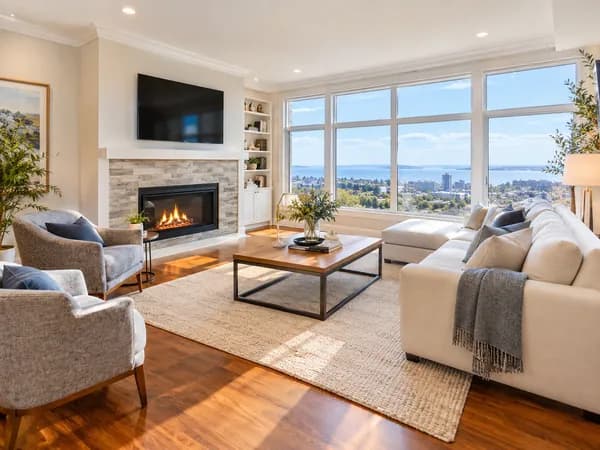
Real Estate Listing Photo Editor
Brighten, declutter, virtually stage or twilight-convert property photos for MLS.
Amazon Product Photo Maker
Pure-white main images and lifestyle shots sized for Amazon, Etsy and Shopify.

Event Flyer Maker
Posters and flyers for parties, gigs and community events, for print and Instagram.