

Thumbnail, Banner and Book Cover Makers
Platforms are strict about image sizes, and they cover parts of your image with their own interface: the video length on a thumbnail, your profile photo on a banner. The makers in this group export the pixel size and file weight the platform asks for and keep important text and faces out of the areas that get covered.
You describe the topic in plain words, choose a look and download the files. There is no prompt to write and no size to look up.
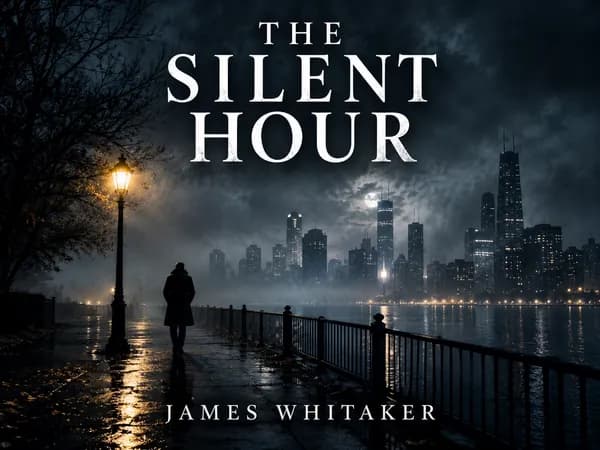
Book Cover Maker
Genre-appropriate front covers for Kindle eBooks and 6×9 paperbacks.
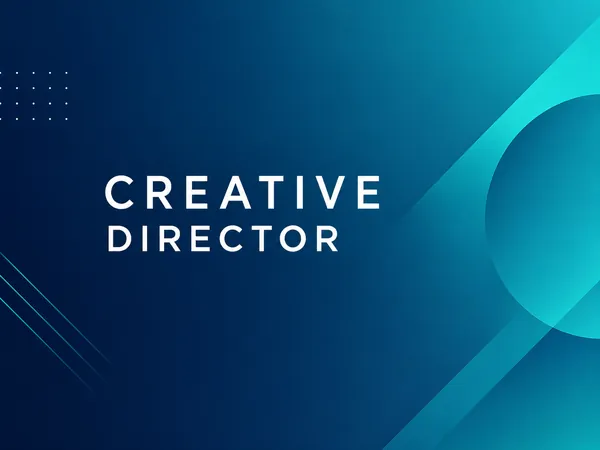
LinkedIn Banner Maker
1584×396 LinkedIn background banners that leave room for your profile photo.

YouTube Thumbnail Maker
Click-worthy 1280×720 thumbnails with bold headline text, optionally featuring your face.
What you can make
- YouTube Thumbnail Maker: 1280×720 px thumbnails under 2 MB and a 1920×1080 px version, with bold headline text.
- LinkedIn Banner Maker: a 1584×396 px profile background that leaves room for your photo.
- Book Cover Maker: a 1600×2560 px Kindle cover and a 6×9 in paperback front panel with bleed, in genre-appropriate looks.
Sizes change, so check the source
Platforms update their requirements from time to time. Each maker page links to the official help page where one exists, and the size guides show the date they were last checked: YouTube thumbnail size, LinkedIn banner size and book cover size.
Good images also follow a few habits that have nothing to do with size, such as high contrast and very short text. The guide to YouTube thumbnail best practices covers them.
Guides for these makers
Book Cover Size for eBooks and Paperbacks
Kindle cover size 1600×2560 px per KDP, plus paperback full-wrap PDF rules, 0.125 in bleed, spine width, and why print needs back cover and spine.
Size guideYouTube Thumbnail Size and Requirements
The right YouTube thumbnail size: 1280×720 px works for most uploads, 3840×2160 px is the maximum recommended. Aspect ratio, file limits, Shorts and safe area.
YouTubeYouTube thumbnail best practices
Make YouTube thumbnails that stay readable on phones, leave the bottom-right clear for the duration badge, and match your video without misleading viewers.
Size guideLinkedIn Profile Banner Size and Safe Area
LinkedIn profile banner size is 1584×396 px (4:1), JPG or PNG, under 8 MB. Where your photo overlaps, mobile crop, and why company pages use 1512×256 px.
Size guideBusiness Card Size, Bleed and Print Resolution
US business cards are 3.5×2 in; Europe often uses 85×55 mm. Bleed, safe zones, 300 DPI pixel sizes, landscape layout, and matching your printer template.
Size guideEvent Flyer Size for Print and Social Media
Event flyer sizes: US Letter 8.5×11 in with bleed for print, 1080×1350 px feed posts, 1080×1920 px Stories, and A4 dimensions in millimeters.
Questions
Can I use my own face in a thumbnail?+
The YouTube Thumbnail Maker accepts a photo of you and keeps your likeness in most cases. Likeness is not perfect, so check faces closely before you publish.
Will the banner look right on mobile?+
LinkedIn crops banners differently on phones and on desktop. The LinkedIn Banner Maker keeps the text in the half of the image that stays visible, but check the result on both.
Does the book cover include a spine and back?+
No. The maker designs the front cover only. A printed paperback needs a full wrap cover sized to your page count, which you build in your printer's template.
What if the text on the image is wrong?+
Generate again. Text is part of the image, so a corrected word means a new design.