

Size guide
Business Card Size, Bleed and Print Resolution
Updated
Short answer
In the US and Canada the usual trim size is 3.5×2 inches; in much of Europe it is 85×55 mm. Add bleed (0.125 in or 3 mm) so color reaches the edge after cutting, keep text inside the safe area, and export at 300 DPI for print.
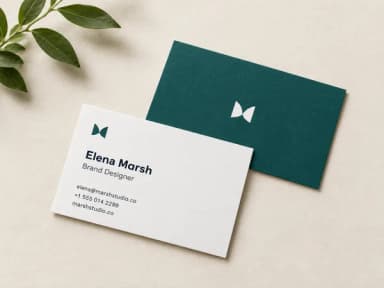
Make it with PiCraft
Business Card Maker
Enter your name and contact details, get a designed business card as a print-ready PDF in US or EU size.
Standard trim sizes at a glance
Trim size is the finished card after the printer cuts the sheet. US and European cards use different proportions, so pick the region where you will print.
| Region | Trim size | File with bleed | Pixels at 300 DPI (with bleed) |
|---|---|---|---|
| United States & Canada | 3.5×2 in (89×51 mm) | 3.75×2.25 in (0.125 in bleed per edge) | 1125×675 px |
| Europe (common) | 85×55 mm | 91×61 mm (3 mm bleed per edge) | 1075×720 px |
85×55 mm is slightly taller relative to width than a US card. A design composed for 3.5×2 in will need re-layout or scaling for strict 85×55 mm output, not a silent stretch.
Bleed, trim and safe zone
Bleed is extra artwork beyond the trim line so a small cut error does not leave a white hairline. US shops commonly ask for 0.125 in bleed on all sides; many European templates use 3 mm per edge.
The safe zone is the inner area where text and logos should stay so they are never trimmed off. Printers publish their own templates; a typical rule is to keep important content at least 3 mm (about 0.125 in) inside the trim.
PiCraft keeps contact type inside a centered safe rectangle on the card front. If you edit the file afterward, respect the same margins. For why bleed exists, see what is bleed in printing.
Resolution, orientation and color
Print shops expect 300 DPI for crisp small type. The pixel sizes in the table above come from multiplying the bleed dimensions by 300 (for example, 3.75×300 = 1125 px width for US bleed width).
Business cards are almost always designed in landscape orientation: the long edge runs horizontally when you hand the card to someone with the text right-side up.
Card stock weight (for example 14 pt or 16 pt) affects feel and thickness but not the digital file size. Choose stock with your printer; the PDF dimensions stay the same.
How to check your printer's template
Before you order, download the template from your print vendor (Vistaprint, Moo, a local shop, or an online PDF spec). Open it in the tool they recommend and compare trim, bleed and safe guides to your file.
Confirm whether they want a single front PDF with bleed, a flattened JPG, or separate front and back files. Upload the PDF with bleed unless they specify otherwise.
If the template trim size differs from 3.5×2 in or 85×55 mm, do not force-fit your art. Resize the canvas to their trim and adjust the layout, or pick a printer that matches the size you designed.
- Download the printer's PDF or PNG template for your chosen size.
- Place your artwork on the front layer and align trim and bleed guides.
- Verify phone numbers, email and URLs character by character.
- Order a small test batch or a PDF proof if the shop offers one.
Web preview size vs print file
A lower-resolution JPG is useful for email signatures and social profiles; it is not a substitute for the print PDF. PiCraft exports a web JPG near 1050×600 px for US cards and 1020×660 px for European size, plus 300 DPI print files with bleed.
The maker designs the front only. Backs are often a solid brand color or a logo added in the printer's editor. It does not embed QR codes or uploaded logos in the generated front.
Make a card at the right size
The Business Card Maker lets you choose US & Canada (3.5×2 in) or Europe (85×55 mm) and downloads a print PDF and 300 DPI JPG with bleed, plus a web JPG.
For other print pieces at Letter size, see flyer size. Invitations and related specs live under invitations and print.
Frequently asked questions
What is the standard business card size in the US?+
3.5×2 inches is the usual trim size in the United States and Canada. Print files include 0.125 inch bleed on each edge (3.75×2.25 in total).
What size is a European business card?+
85×55 mm is the common trim size in much of Europe, with 3 mm bleed per edge (91×61 mm total) on many templates.
How many pixels is a business card at 300 DPI?+
With bleed, about 1125×675 px for US size and about 1075×720 px for 85×55 mm European size at 300 DPI.
Portrait or landscape?+
Landscape is standard: text reads horizontally when the card is handed over with the long edge on top.
Do I need bleed if I print at home?+
Home printers often cannot print full bleed. For professional trimming at a print shop, use a file with bleed so backgrounds reach the cut line.
Can one file work for US and EU sizes?+
No. The proportions differ. Design or export separately for the region where you will print.
Ready to make one?
Business Card Maker
Enter your name and contact details, get a designed business card as a print-ready PDF in US or EU size.
Related guides
Event Flyer Size for Print and Social Media
Event flyer sizes: US Letter 8.5×11 in with bleed for print, 1080×1350 px feed posts, 1080×1920 px Stories, and A4 dimensions in millimeters.
Size guideLinkedIn Profile Banner Size and Safe Area
LinkedIn profile banner size is 1584×396 px (4:1), JPG or PNG, under 8 MB. Where your photo overlaps, mobile crop, and why company pages use 1512×256 px.
PrintWhat Is Bleed in Printing?
Bleed, trim line and safe area for PiCraft print files: 0.125 in or 3 mm bleed, invitation safe margins, 300 DPI, PDF vs JPG, home printing and pre-flight checks.
Makers that help
Business Card Maker
Enter your name and contact details, get a designed business card as a print-ready PDF in US or EU size.

Event Flyer Maker
Posters and flyers for parties, gigs and community events, for print and Instagram.

LinkedIn Banner Maker
1584×396 LinkedIn background banners that leave room for your profile photo.

Sticker Maker
Die-cut sticker designs with a white border, exported as transparent PNGs.