

Size guide
LinkedIn Profile Banner Size and Safe Area
Updated
Short answer
Upload a personal profile background at 1584×396 px in a 4:1 ratio, as JPG or PNG under 8 MB. LinkedIn recommends that size; keep names and headlines in the right half because your profile photo covers the lower-left and the banner crops differently on phones.
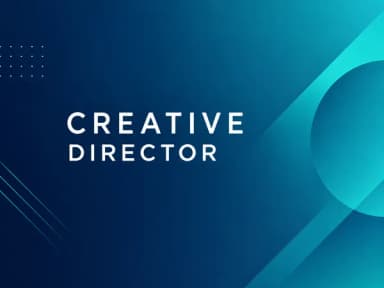
Make it with PiCraft
LinkedIn Banner Maker
1584×396 LinkedIn background banners that leave room for your profile photo.
Profile photo overlap and safe placement
The cover sits behind your profile photo in the introduction section. On desktop, the circular photo covers part of the lower-left banner. On mobile, the crop shifts, so the left and center-left are risky for text and logos.
Treat roughly the left third as a calm background zone. Put your name, title or tagline in the right half, vertically centered, where they stay readable when the photo and crop change.
After upload, use LinkedIn's editor to reposition the image if important content sits near an edge. Preview on both a phone and a computer before you share the profile link.
Personal profile vs company page cover
A banner built for your personal profile will not fit a LinkedIn Company Page cover. Pages use a different width and height, with their own file size limit.
LinkedIn's Page image specifications list the Page cover at 1512×256 px (minimum and recommended), PNG or JPEG, with a maximum file size of 3 MB. PiCraft's LinkedIn Banner Maker targets personal profiles at 1584×396 px only.
If you manage a company Page, design or export at 1512×256 px and follow LinkedIn's guidance to keep key details away from edges, especially the lower-right, because covers can trim horizontally or vertically on different devices.
Export size, quality and file weight
1584×396 px is the practical default: it matches LinkedIn's recommendation and keeps file size manageable. JPG is usually enough for gradients and photos; PNG helps if you need perfectly sharp edges on flat graphics, at the cost of a heavier file.
LinkedIn accepts files up to 8 MB. Staying well under that limit avoids upload failures on slow connections. If compression makes text fuzzy, export at 3168×792 px and upload that version instead.
Do not stretch a square or tall image into 4:1. Crop or redesign at the correct ratio so nothing looks stretched after LinkedIn applies its own crop.
Frequently asked questions
What is the correct LinkedIn banner size?+
LinkedIn recommends 1584×396 pixels, a 4:1 landscape ratio, as JPG or PNG under 8 MB.
What size is a LinkedIn company Page cover?+
LinkedIn lists 1512×256 px as the minimum and recommended Page cover size, PNG or JPEG, up to 3 MB. That is not the same as a personal profile banner.
Why does my banner look cropped on mobile?+
LinkedIn adjusts cover images for different screen sizes. Keep critical text in the center-right and away from edges, then check your profile on a phone after upload.
Can I use PNG instead of JPG?+
Yes. LinkedIn accepts both. JPG is usually smaller; PNG can preserve sharp flat graphics at a higher file weight.
Where should I put my name on the banner?+
Place it in the right half of the image, away from the lower-left where your profile photo sits on desktop.
Is a larger than 1584×396 px file allowed?+
LinkedIn specifies 1584×396 px as the recommended dimensions. A 2× file at the same 4:1 ratio can look sharper on high-resolution displays if the file stays under 8 MB.
Sources
Platforms change their requirements, so check the official page before you submit a file.
Ready to make one?
LinkedIn Banner Maker
1584×396 LinkedIn background banners that leave room for your profile photo.
Related guides
Business Card Size, Bleed and Print Resolution
US business cards are 3.5×2 in; Europe often uses 85×55 mm. Bleed, safe zones, 300 DPI pixel sizes, landscape layout, and matching your printer template.
Size guideYouTube Thumbnail Size and Requirements
The right YouTube thumbnail size: 1280×720 px works for most uploads, 3840×2160 px is the maximum recommended. Aspect ratio, file limits, Shorts and safe area.
YouTubeYouTube thumbnail best practices
Make YouTube thumbnails that stay readable on phones, leave the bottom-right clear for the duration badge, and match your video without misleading viewers.
Makers that help
LinkedIn Banner Maker
1584×396 LinkedIn background banners that leave room for your profile photo.
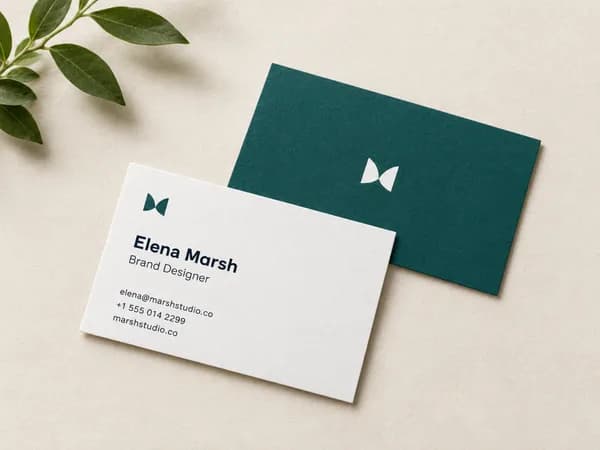
Business Card Maker
Enter your name and contact details, get a designed business card as a print-ready PDF in US or EU size.

YouTube Thumbnail Maker
Click-worthy 1280×720 thumbnails with bold headline text, optionally featuring your face.