

Product photos
Product Photo Checklist for Online Stores
By the PiCraft team · Updated
In short
Use a pure-white main image that shows only the product for sale, keep secondary shots for lifestyle and detail, and export square files up to 2000×2000 px (plus a 1080×1080 px copy for your storefront). Compare every image to the real item before upload.
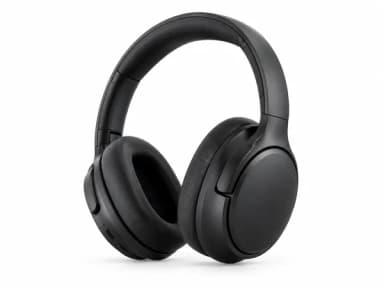
Make it with PiCraft
Amazon Product Photo Maker
Pure-white main images and lifestyle shots sized for Amazon, Etsy and Shopify.
Main image vs secondary images
Marketplaces treat the first slot differently from the rest. The main image is what shoppers see in search results and comparison grids. Secondary images answer questions about size, use, texture and packaging.
On Amazon, the main image must show only the product for sale on a pure white background, with the product filling at least 85% of the frame. No added text, logos, watermarks or props that are not part of the product itself. Lifestyle and detail shots belong in later slots.
Etsy and Shopify do not copy Amazon's main-image rules exactly, but the same habit helps: lead with a clear product-on-neutral shot, then add context in additional photos. PiCraft's Amazon Product Photo Maker builds a main image on pure white and separate lifestyle or close-up types for other slots.
- Slot 1: product alone, centered, easy to read at thumbnail size.
- Slots 2–7+: scale in hand, in use, angles, packaging contents, size reference.
- Never reuse a lifestyle collage as the main image if the platform expects a clean hero shot.
Pure white background and RGB 255
Amazon's published main-image guidance calls for a pure white background, RGB 255, 255, 255. Automated checks compare pixel values; an off-white studio sweep can fail even when it looks white to the eye.
After generation, PiCraft sets near-white background pixels on main images to exactly RGB 255. Lifestyle and detail exports skip that step so you can keep natural settings.
For Etsy and Shopify, a clean white or neutral backdrop still helps collection pages look consistent even when pure white is not mandatory.
Product fill, lighting and shadows
Amazon asks for the product to fill 85% or more of the frame on the main image. Too much empty space makes the item look small in search; too tight a crop can clip handles or lids.
Soft, even light reduces harsh shadows and color casts. Window light with indirect sun is a practical starting point for your source photo. PiCraft rebuilds lighting in the studio style but preserves the product shape and labels from your upload.
A subtle contact shadow under the product is often acceptable on marketplaces; heavy dramatic shadows or colored gels can look like editing artifacts. When in doubt, compare with your category's current image rules.
Technical size and zoom thresholds for Amazon are summarized in the Amazon product image requirements size guide.
File sizes that work across channels
PiCraft exports a 2000×2000 px square JPG for listings and a 1080×1080 px JPG for your own store, ads or social posts. That square listing file meets Amazon's at-least-1000 px longest-side zoom bar and the 1600 px or more size sellers are advised to aim for, with room to spare.
Etsy recommends listing photos at least 2000 pixels in width and height. The first listing photo should be at least 635 pixels wide and high to avoid showing up lower in searches; higher resolution is still recommended for buyer zoom.
Shopify accepts product images up to 5000×5000 px or 25 megapixels, with a 20 MB file size cap. For square product photos, Shopify's help center notes that 2048×2048 px usually displays well. A consistent aspect ratio across featured images keeps collection grids even; 1:1 is a common choice.
| Channel | PiCraft output | Official guidance to verify |
|---|---|---|
| Amazon main image | 2000×2000 px JPG, pure white on main shots | Pure white RGB 255; product fills ≥85% of frame; longest side ≥1000 px for zoom, 1600 px+ recommended |
| Etsy listing photos | 2000×2000 px square JPG | Recommend ≥2000 px width and height; first photo ≥635 px wide and high |
| Shopify featured image | 1080×1080 px or upscale from 2000×2000 px listing file | Up to 5000×5000 px; 2048×2048 px square often displays best |
| Your own site | 1080×1080 px JPG from the maker | Use descriptive file names and alt text you control |
Honesty: the image must match what ships
Rules on Amazon, Etsy and Shopify all assume the buyer receives what the photos show. Color, shape, included accessories and printed text on packaging should match the unit you pack.
PiCraft instructs the model to keep labels, logos and printed text from your source photo, but AI can still change small parts, fine print or textures. Zoom to 200% and compare every output to the physical product before you publish.
If you edit further in another app, keep the unedited source photo. It documents how the listing image was produced if a buyer or marketplace asks.
- Bundle shots: PiCraft generates one product per image; combine items manually only if the listing is truly sold as that bundle.
- Apparel on a model and some regulated categories have extra rules; read your category help page before relying on AI edits.
- Reflective glass and polished metal are harder to render faithfully; shoot and review carefully.
Before you upload: checklist
- Confirm the main image shows only the SKU you sell, with no promotional badges you added in post.
- Check pure white on Amazon main images (RGB 255) and product fill of at least 85% of the frame.
- Compare shape, color, labels and small parts to the real item at full zoom.
- Upload lifestyle and detail images only to secondary slots, not as the main hero.
- Use the 2000×2000 px listing JPG for marketplace uploads; keep the 1080×1080 px copy for ads or theme galleries if you prefer a lighter file.
- Store the original phone or camera photo alongside the generated JPG.
- Re-read your category's image policy; some categories add props, text or model requirements.
- For Shopify or your own theme, add alt text that describes the product and variant, not keyword stuffing.
File naming and alt text on your store
Marketplaces often rename files on upload. On Shopify and self-hosted pages you control the name. Use short, descriptive filenames such as `ceramic-mug-sage-12oz-front.jpg` instead of `IMG_3842.jpg`. Shopify's file guidance warns that certain endings like `large` or `thumb` can be misread as resize requests by the CDN.
Alt text should describe what is in the frame for shoppers using screen readers and for clarity when images fail to load. Mention color, material or size only when visible.
Keep naming consistent across a catalog so you can find masters later: product slug, view (`front`, `detail`, `lifestyle`), optional variant.
For broader context on listing visuals, see the product and listing photos category page and pair product shots with accurate copy on the item page.
Frequently asked questions
Does Etsy require a white background like Amazon?+
Etsy does not publish the same pure-white RGB rule as Amazon's main image. A clean, simple background is still a best practice. Use PiCraft's main image type when you want Amazon-style white, and lifestyle types for Etsy secondary photos.
Which PiCraft download goes to Amazon slot one?+
Generate the main image (pure white background) type and upload the 2000×2000 px listing JPG. Use lifestyle and detail types for additional slots.
Is a 1080×1080 px file enough for Etsy?+
Etsy recommends at least 2000 pixels in width and height for listing photos. Use the 2000×2000 px listing export for Etsy; reserve the 1080×1080 px file for lighter web use.
Will a marketplace accept AI-edited photos?+
Policies focus on accurate representation and technical rules, not the editing tool. PiCraft matches published specs where noted, but acceptance is never guaranteed. Review the output against the real product before you submit.
Sources
Platforms change their requirements, so check the official page before you submit a file.
Ready to make one?
Amazon Product Photo Maker
Pure-white main images and lifestyle shots sized for Amazon, Etsy and Shopify.
Related guides
Amazon Product Image Size and Main Image Rules
Amazon main image: pure white RGB 255, 85% fill, 1000 px minimum for zoom, 1600 px+ recommended, JPEG preferred, and what secondary images allow.
Size guideReal Estate Listing Photo Size and MLS Requirements
MLS listing photo dimensions: 2048×1536 px landscape JPG, 1024×768 minimums, file size limits, web sizes, virtual staging labels, and keeping unedited originals.
Makers that help
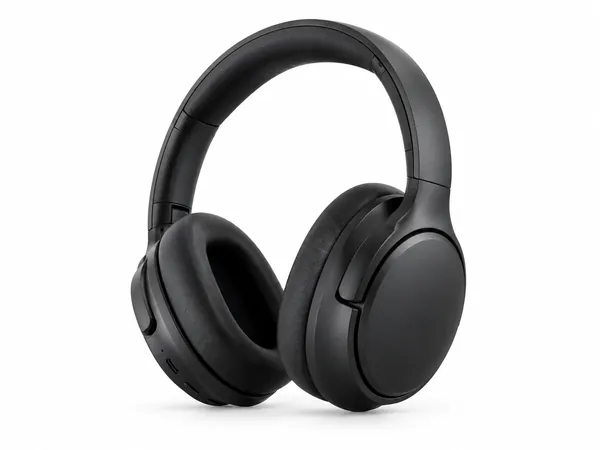
Amazon Product Photo Maker
Pure-white main images and lifestyle shots sized for Amazon, Etsy and Shopify.

Real Estate Listing Photo Editor
Brighten, declutter, virtually stage or twilight-convert property photos for MLS.

Sticker Maker
Die-cut sticker designs with a white border, exported as transparent PNGs.