Merch
How to prepare a t-shirt design file for print-on-demand
By the PiCraft team · Updated
In short
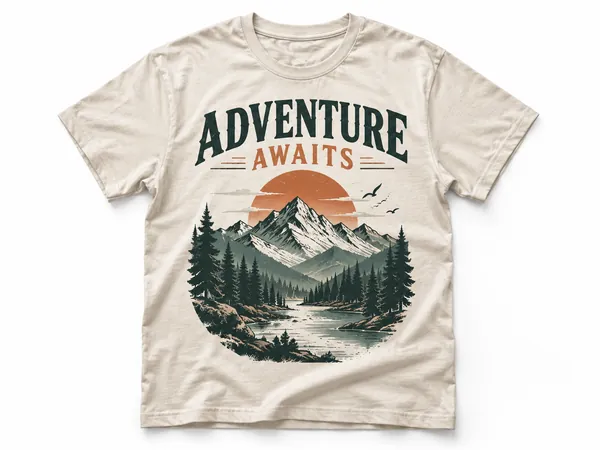
Print-on-demand shirts need a transparent PNG sized to the print area at sufficient DPI, with bold shapes and short text that survive fabric ink. PiCraft exports 4500×5400 px for a 15×18 inch front graphic; confirm dimensions in the t-shirt design size guide and on your platform.
Make it with PiCraft
T-Shirt Design Maker
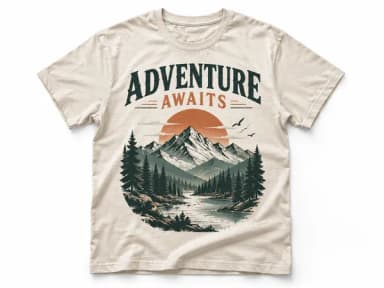
Print-on-demand t-shirt graphics as transparent 4500×5400 PNGs.
Start with the print area, not the whole canvas
A t-shirt file is a rectangle that maps to a physical print zone on the chest or back. POD providers publish templates and maximum dimensions per product. Your artwork should match that zone at export time so the printer does not upscale a tiny image or shrink an oversized one without you noticing.
PiCraft’s T-Shirt Design Maker targets a front graphic at 4500×5400 px, which is 15×18 inches at 300 DPI, plus a smaller preview PNG for mockups. That matches common Merch and DTG templates, but hoodies, pockets, and youth sizes may use different boxes—always open the File guidelines or template for the exact garment you list.
The t-shirt design size guide explains how PiCraft sizes files. This article focuses on how to prepare and upload them.
Transparent PNG and why JPG fails on colored shirts
Direct-to-garment printing sprays ink onto fabric. Areas you leave transparent should stay fabric-colored. PNG supports transparency; JPG does not, so empty regions can become a white rectangle on dark shirts.
Export PNG with transparency enabled and no background fill. Zoom the edges in your editor: semi-transparent glows and soft fades can print as a white underbase on dark garments because the RIP treats faint pixels as ink coverage.
Printful’s DTG guidance recommends PNG with a transparent background for apparel. Printify likewise accepts PNG and JPEG but notes PNG for designs that need transparency on DTG products.
DPI, pixel dimensions, and scaling traps
DPI describes how densely ink lands when the file’s pixel dimensions match the print size in inches. A 4500×5400 px file printed across 15×18 inches is 300 DPI. Stretch that same file to a larger area and the effective DPI drops; the print looks soft.
Printful asks for at least 150 DPI at the actual print dimensions for most apparel, with 300 DPI ideal for sharper detail. Printify recommends 300 DPI for many JPEG and PNG uploads but notes that large products may accept 120–150 DPI—check the Product Creator panel for the item you chose.
Do not rely on “upscale to 300 DPI” buttons alone. Start with large, simple artwork. PiCraft upscales generated art to the print file; bold shapes hold up, but hairline detail will not behave like vector art.
Design for dark shirts vs light shirts
Dark fabric usually gets a white underbase before color ink. Light designs on black shirts need enough contrast and area coverage to read; tiny grey text can disappear into the weave.
Light shirts skip the heavy underbase, so very pale pastels and thin grey lines can look washed out. PiCraft asks you to pick dark or light before generation so the palette is adjusted for that fabric.
If you change shirt color after designing, regenerate. The same PNG will not automatically remap colors for a different underbase behavior.
| Check | Dark shirt | Light shirt |
|---|---|---|
| Preview background | Place PNG over black or charcoal | Place PNG over white or heather grey |
| Text weight | Prefer thick strokes and bright hues | Prefer saturated mid-tones, not faint pastels |
| Gradients | Avoid fades to full transparency | Avoid very light grey-on-white areas |
| Fine lines | Risk filling in with underbase speckle | Risk looking faint after wash |
Avoid thin lines, tiny type, and muddy textures
Fabric absorbs ink and softens edges. Line art thinner than a few pixels at print size may break up after the first wash. Keep slogans to a handful of words integrated into the art, not micro-type under an illustration.
Heavy textures, photo-realistic shading, and soft airbrush gradients look crisp on screen but can print unevenly on cotton blends. Flat color blocks, badges, and bold outlines survive DTG more reliably.
Printify warns that transparent gradients on dark DTG garments can look patchy when white underbase shows through; halftone dots are a common workaround for fade effects.
Screen color vs fabric color
Monitors emit light; fabric reflects it. Reds and neon greens often print slightly duller. Heather and tri-blend shirts add speckle that changes perceived contrast.
Printful notes that files may be converted to sRGB for production. Designing in sRGB avoids surprises when neon RGB values clip.
The only reliable proof is ink on cloth. Order one sample per new garment color and design complexity before you scale ads or inventory.
Mockups vs print files
Storefront mockups are for shoppers; production files are for the printer. Use the large transparent PNG for upload, and the smaller preview only for social posts or listing galleries.
Some platforms trim transparent margins automatically; others use the full canvas for placement. If placement looks off-center, crop to the artwork bounding box in an editor, then re-upload—without changing the pixel density of the art itself.
PiCraft does not render on-shirt mockups. Drop the PNG into your POD mockup tool or a photo template to judge scale on a real body.
Platform file rules and templates
Each service updates requirements. Before publishing, open the product in Printful’s catalog or Printify’s Product Creator and read the File guidelines tab for that print area.
Printful: PNG with transparency for DTG, typically 150–300 DPI at the template size, sRGB, avoid PDF for many apparel products. Maximum upload size is listed in Printful’s graphics guide (100 MB for many PNG uploads).
Printify: JPEG, PNG, or SVG depending on product; 300 DPI is recommended for many PNG uploads, with per-product dimensions shown in the designer. Maximum PNG/JPEG size is 100 MB per Printify’s help center.
Merch by Amazon and similar programs publish downloadable Photoshop or GIMP templates per product. Use those templates for placement even when the editor accepts a range of sizes; Amazon’s seller resources describe transparent PNG exports under 25 MB for many apparel uploads.
Redbubble and other marketplaces list their own minimum resolutions. When a number is not shown in the official help page you are reading, export from PiCraft at full size and let the uploader warn you—or download that platform’s template.
Rights, trademarks, and samples
Do not upload brand logos, sports marks, lyrics, or characters you do not own. POD platforms remove listings and may suspend accounts for repeated infringement.
Describe original ideas in PiCraft instead of naming protected franchises. Proofread integrated text; it is part of the raster art.
Order a sample shirt in the color you plan to sell. Walk through wash instructions once and inspect cracking, fading, and placement. Pair merch graphics with smaller assets using the sticker maker only when the sticker file meets its own print rules.
Browse stickers and merch for related makers, but upload the t-shirt PNG only through the garment workflow you chose.
Frequently asked questions
Is 4500×5400 px always the right upload for every shirt?+
It matches PiCraft’s 15×18 inch front graphic and many POD templates, but youth sizes, hoodies, and back prints may need different dimensions. Use the platform template for the exact product.
Can I upload a JPG to save space?+
Only if the design has no transparency and you accept how the platform handles backgrounds. For most DTG shirts on dark colors, PNG with transparency is safer.
Why does my design look huge on the mockup?+
The print file may include wide transparent margins, or the platform default scale may be large. Crop to the artwork bounds or scale down in the mockup tool while keeping the original high-resolution file for production.
Does PiCraft guarantee WYSIWYG color on fabric?+
No. Screen and fabric differ by garment dye and fabric blend. A physical sample is the final check.
Sources
Platforms change their requirements, so check the official page before you submit a file.
Ready to make one?
T-Shirt Design Maker
Print-on-demand t-shirt graphics as transparent 4500×5400 PNGs.