

Size guide
T-Shirt Print File Size and Placement
Updated
Short answer
A full front graphic for many DTG shirts is about 15×18 in at 300 DPI, or 4500×5400 px as a transparent PNG. Printful uses that placement on eligible tees; Printify and Redbubble list product-specific pixel minimums in their creators. Export RGB PNG, keep important art inside the safe zone, and match colors to dark or light fabric.
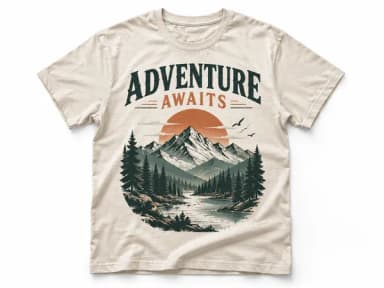
Make it with PiCraft
T-Shirt Design Maker
Print-on-demand t-shirt graphics as transparent 4500×5400 PNGs.
T-shirt print file specs at a glance
Print-on-demand shirts use direct-to-garment (DTG) or similar digital printing. You upload a flat PNG; the platform scales and positions it on the shirt. Pixel dimensions matter more than DPI metadata embedded in the file.
| Source | Size or rule | Format notes |
|---|---|---|
| PiCraft print file | 4500×5400 px (15×18 in at 300 DPI) | Transparent PNG; palette tuned for dark or light shirt |
| Printful (DTG apparel) | At least 150 DPI; size file to print dimensions | PNG for transparency; max 200 MB, 20,000×20,000 px in File library |
| Printify | 300 DPI recommended; dimensions per product in Product Creator | PNG, JPEG or SVG; PNG/JPEG max 100 MB |
| Redbubble Men's Graphic T-Shirts | 3873×4814 px minimum | PNG required to keep transparency |
| Redbubble Premium T-Shirts | 2875×3900 px minimum | PNG for transparencies |
| Redbubble Other Apparel | 2400×3200 px covers printable area | PNG for transparencies |
Platform rules change. Open the File guidelines or Upload panel for the exact shirt model before you publish. PiCraft's 4500×5400 px file matches Printful's documented 15×18 in standard front placement and exceeds Redbubble's listed minimums for common tee products.
Why 15×18 inches and 4500×5400 pixels
Fifteen by eighteen inches is the standard front print area Printful documents for select DTG tees on larger garment sizes, replacing an older 12×16 in placement. At 300 DPI, 15×18 in equals 4500×5400 px—the file the T-Shirt Design Maker exports.
Printful notes that smaller shirt sizes may downscale a 15×18 in design (for example to about 11.5×13.8 in on some sizes). Keep type inside the dotted safe print area in each platform's design tool.
Printful, Printify and Redbubble requirements
Printful wants files sized to print dimensions at 150–300 DPI, PNG for DTG transparency, and under 200 MB / 20,000 px per side in your File library.
Printify recommends 300 DPI and lists pixel requirements in Product Creator for each garment. Redbubble sets per-product minimums (table above) and caps uploads at 300 MB and 13,500×13,500 px.
Merch by Amazon publishes templates in its resource hub; confirm live rules in your seller account—those pages did not expose readable numeric specs here.
For a longer upload checklist, read t-shirt design file requirements. For other merch formats, browse Stickers and merch.
Dark vs light shirts and placement
On dark fabric, black or very dark ink disappears into the shirt. On white or pale fabric, white fills vanish. PiCraft's shirt color setting shifts the palette so the graphic keeps contrast on dark or light cotton.
Place the focal art in the center chest unless your platform template shows a different default. Printful's safe print area is the dotted zone inside the full rectangle—keep type and faces inside it so minor registration shifts do not clip edges.
Preview the PNG over black and white before upload. Avoid semi-transparent edge glows on DTG; Printful warns they can print unevenly.
Common upload and print problems
- File rejected for size: check Printful's 200 MB / 20,000 px limits or Printify's 100 MB PNG cap.
- Design looks tiny on the shirt: the upload may be low resolution versus the print area, or excess transparent padding shifted the scale—trim and re-upload.
- Blurry text after print: the source was upscaled from a small image; start from the full 4500×5400 px export or simplify type.
- White box around art on a colored shirt: uploaded JPG instead of PNG, or flat white background not removed.
- Different size on XS vs XL: automatic downscaling on smaller garments is normal for 15×18 in masters on Printful-documented products.
Make a shirt graphic at print size
The T-Shirt Design Maker builds a centered chest graphic with optional slogan (up to 40 characters), ten print-friendly styles, and automatic background removal. Download the 4500×5400 px PNG for production and the 1200×1440 px preview for mockups.
The print file is upscaled from the generated art; order one sample shirt before you run ads. PiCraft does not produce back prints, mockups on models or all-over patterns—only flat artwork.
Frequently asked questions
What size PNG do I need for a t-shirt design?+
4500×5400 px at 300 DPI (15×18 in) is a strong default for full front DTG prints and matches PiCraft's export. Printful documents that placement; Printify and Redbubble list other minimums per product in their design tools.
Is 150 DPI or 300 DPI better for print-on-demand shirts?+
Printful recommends at least 150 DPI for DTG apparel and notes 300 DPI can look sharper on fine detail. Size the pixel dimensions to the real print area; a high pixel count on a tiny canvas still prints poorly if stretched.
Why does PiCraft ask for dark or light shirt?+
Ink matching the shirt color does not show up. The maker adjusts colors so the design stays visible on black or white fabric. Regenerate if you switch shirt color instead of reusing the same file.
Does this cover Merch by Amazon?+
Merch uses seller templates and an in-browser editor. Download the current template for each product from Merch on Demand resources and verify upload rules there; PiCraft's 4500×5400 px PNG is a practical starting point for standard apparel but is not a substitute for reading Amazon's live requirements.
Sources
Platforms change their requirements, so check the official page before you submit a file.
- Printful Help: How should I prepare my print file for the best results?
- Printful Help: Standard 15″ × 18″ print placement for DTG products
- Printful Help: What is the maximum file size of a print file?
- Printify Help: What type of print files does Printify require?
- Printify Help: What dimensions should my design be?
- Redbubble Help: Dimensions & Format
- Amazon Merch on Demand resources
Ready to make one?
T-Shirt Design Maker
Print-on-demand t-shirt graphics as transparent 4500×5400 PNGs.
Related guides
How to prepare a t-shirt design file for print-on-demand
Export a transparent PNG at the right print size and DPI, design for dark or light fabric, and check each POD platform’s file rules before you order samples.
Size guideSticker Size and File Requirements
Sticker file sizes for print and cut: 300 DPI PNGs, common 2–3 in prints, die-cut vs kiss-cut, white borders, pixel math, and Cricut Design Space upload steps.
Makers that help
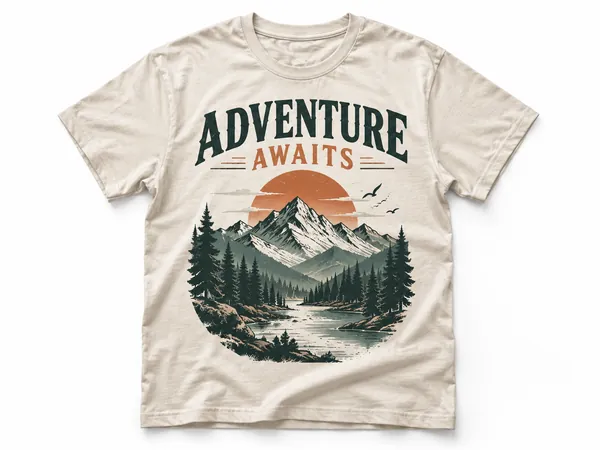
T-Shirt Design Maker
Print-on-demand t-shirt graphics as transparent 4500×5400 PNGs.
Sticker Maker
Die-cut sticker designs with a white border, exported as transparent PNGs.

Event Flyer Maker
Posters and flyers for parties, gigs and community events, for print and Instagram.