

Size guide
Sticker Size and File Requirements
Updated
Short answer
Export a square PNG with a transparent background outside your art. For sharp home or shop printing, size the file in pixels as inches × DPI (for example 3×3 in at 300 DPI = 900×900 px). PiCraft also gives a 2048×2048 px transparent PNG and a ready 3×3 in print file with a white die-cut border.
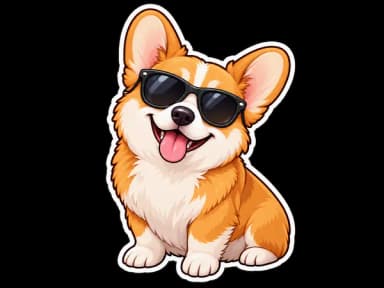
Make it with PiCraft
Sticker Maker
Die-cut sticker designs with a white border, exported as transparent PNGs.
Sticker file specs at a glance
Sticker art is usually a PNG with a clear edge for cutting. Sharp print depends on enough pixels for the inches you print.
| File | Dimensions | Notes |
|---|---|---|
| Print PNG | 3×3 in at 300 DPI (900×900 px) | Square, transparent outside the white border |
| Large PNG | 2048×2048 px | Transparent; enough resolution for prints up to about 6 in wide at 300 DPI |
| Format | PNG | Transparency required for die-cut and Print Then Cut |
| Border | White die-cut outline | Cut just outside the white edge; see [sticker artwork for print and cut](/blog/sticker-artwork-print-and-cut) |
These match the Sticker Maker outputs. Scale the print file down in your software for smaller stickers, or use the 2048 px file when you need extra room to edit.
Pixels, inches and DPI
Pixel width or height = inches × DPI. At 300 DPI, 3 in equals 900 px per side. Enlarging a small file lowers effective DPI and softens edges.
300 DPI is a common target for small stickers with text or thin lines. Redbubble lists minimum pixels per sticker tier and recommends 2800×2800 px so all four sticker sizes stay enabled.
| Printed size | Pixels (square) | Typical use |
|---|---|---|
| 2 in | 600×600 px | Planner icons, reward charts |
| 2.5 in | 750×750 px | Laptop decals, packaging seals |
| 3 in | 900×900 px | Common shop size; PiCraft print download |
| 4 in | 1200×1200 px | Bottle labels, bold characters |
The Sticker Maker FAQ notes that 2–3 inch stickers are the most common for home and small-shop use. Generate at the size you plan to print, or start from the 3×3 in file and scale down—not up—for smaller results.
Die-cut vs kiss-cut and the white border
Die-cut stickers are cut through the backing sheet to the shape of the art, often with a narrow white margin around the illustration so the blade has a clean path. Kiss-cut stickers are cut through the sticker layer only, leaving them on a larger backing sheet (common for sticker sheets and roll labels).
PiCraft draws a continuous white die-cut border and removes the area outside it, so the PNG is transparent beyond that edge. That matches how many home Print Then Cut workflows expect the cut line to sit just outside the visible art.
Commercial sticker sheets may use different margin rules; check your printer's template if you are not cutting at home.
Cricut Design Space and Print Then Cut limits
For Cricut Print Then Cut, upload a PNG (or JPG) via Upload → Upload Image. On desktop, choose Flat Graphic when you want a full-color Print Then Cut image with a home printer. PiCraft files already have the background removed, so you can upload and save without re-tracing unless you need to tweak the cut path.
Print Then Cut reserves space on the page for sensor marks, so the maximum cuttable area is smaller than the paper. On US Letter (8.5×11 in), Cricut documents a maximum cuttable area of about 9.94×7.44 in on Explore and Maker series machines—your sticker layout must fit inside that window along with registration marks.
If Design Space warns that the image is too large, resize on the Canvas or change the page under Settings → Print Then Cut Settings. Finish print and cut in one session so registration marks stay aligned.
See sticker artwork for print and cut for a full checklist, and Stickers and merch for related formats.
Common sizing mistakes
- Printing below 300 DPI equivalent: a 400×400 px file stretched to 3 in prints soft and jagged.
- Scaling in the print dialog: leaving "fit to page" on changes the real size; use 100% scale for the 900×900 px file when you want exactly 3 in.
- Missing transparency: JPG backgrounds become white rectangles on cut files; use PNG.
- Ignoring Print Then Cut maximums: a sticker larger than the letter-size cut area needs a smaller design or a larger page size.
Make sticker art at the right size
The Sticker Maker exports a 900×900 px (3×3 in at 300 DPI) transparent PNG plus a 2048×2048 px version, both with a white die-cut border and no background cleanup on your side. Optional text is limited to 30 characters; proofread before you print.
Each generation is one design. Lay out several PNGs on one sheet in Cricut Design Space or your print software for a mixed sticker sheet.
Frequently asked questions
What size should a sticker PNG be for printing?+
Match pixels to the printed inches at 300 DPI: multiply inches by 300 for each side. A 3×3 in sticker is 900×900 px. PiCraft includes that size plus a 2048×2048 px file for larger prints or editing.
What is the difference between die-cut and kiss-cut stickers?+
Die-cut cuts each sticker to its shape through the backing. Kiss-cut cuts the sticker layer only and leaves shapes on a shared backing sheet, typical for sticker sheets. PiCraft art is aimed at die-cut and Print Then Cut with a white outline.
Can I use PiCraft stickers with Cricut Print Then Cut?+
Yes. Upload the PNG, choose Flat Graphic for a full-color Print Then Cut image, print on sticker paper and cut around the white border. Confirm the design fits the Print Then Cut area for your paper size before you make the project.
How big can one Print Then Cut sticker be on letter paper?+
On 8.5×11 in letter stock, Cricut lists a maximum cuttable area of about 9.94×7.44 in for Explore and Maker series, including space for sensor marks. A square sticker cannot use the full 11 in height.
Does PiCraft add cut lines to the file?+
No. The transparent edge outside the white border is the cut path. Regenerate if pale grey at the edge disappears when the background is removed.
Sources
Platforms change their requirements, so check the official page before you submit a file.
Ready to make one?
Sticker Maker
Die-cut sticker designs with a white border, exported as transparent PNGs.
Related guides
How to prepare sticker artwork for print and cutting
Prepare transparent PNG sticker art at print size, upload Flat Graphic files to Cricut Design Space, and test one sticker before a full Print Then Cut run.
Size guideT-Shirt Print File Size and Placement
T-shirt design size for print-on-demand: 4500×5400 px (15×18 in at 300 DPI), transparent PNG, and verified file rules from Printful, Printify and Redbubble.
Makers that help
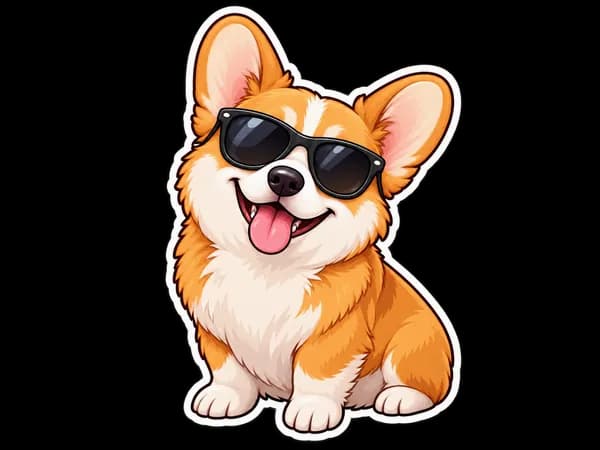
Sticker Maker
Die-cut sticker designs with a white border, exported as transparent PNGs.
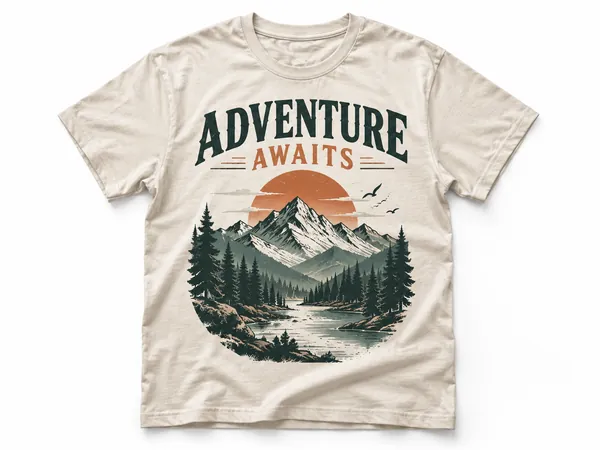
T-Shirt Design Maker
Print-on-demand t-shirt graphics as transparent 4500×5400 PNGs.
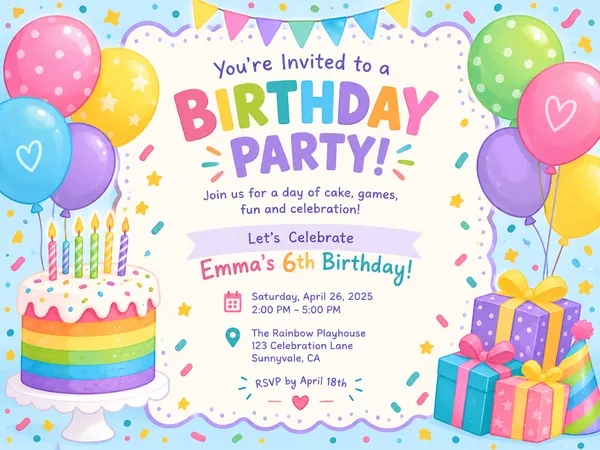
Birthday Invitation Maker
Themed birthday invitations for kids and adults, printable at 5×7 or shareable by text.