

Wedding
How to Print Wedding Invitations
By the PiCraft team · Updated
In short
Finish your wording first, then print a 5×7 in card with 0.125 in bleed on heavy stock (110 lb / 300 gsm is a common choice for a premium feel). Many couples mail paper invitations about six to eight weeks before the wedding; order a proof, match A7 envelopes, and use a phone share image when you want a quick digital send.
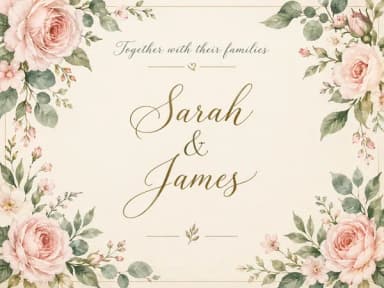
Make it with PiCraft
Wedding Invitation Maker
Printable 5×7 wedding invitations with your names, date and venue, plus a phone-ready version.
Start with quantity and a frozen guest list
Count households, not just names. One invitation often covers a couple or a family with children. Add ten to fifteen percent extra for last-minute additions, keepsakes and addressing mistakes if your budget allows.
Pause design work until names, the date, the day of the week, the time and the venue match your contract and booking confirmations. A typo in a name is the error printers cannot fix without a full reprint.
If you use the Wedding Invitation Maker, the card follows a traditional English wording with your typed names, date, venue and optional RSVP line. The maker does not add couple photos, maps or monograms; plan those separately if you need them.
Proofread like a print shop will not
Read the invitation aloud with your partner or a friend who was not involved in typing. Check spelling of names, honorifics, venue names and city lines.
Confirm the RSVP deadline and website URL on the RSVP line match what you will use on your wedding site or reply cards. PiCraft sets the text as part of the artwork, so any change means generating again.
Watch for AI text rendering on unusual names or accents. PiCraft instructs the model to copy your spelling, but a second human read still catches slips before ink hits paper.
- Date includes the correct year and day of the week.
- Time is on its own line if you use a formal phrase such as "four o'clock in the afternoon."
- Venue name and city are split the way you want them printed, not crowded into one long line.
Choose paper weight and finish in general terms
Wedding invitations are usually printed on card stock, not thin office paper. PiCraft's wedding checklist suggests heavy card stock, 110 lb (300 gsm) or more, for a premium feel in the hand. Your printer can show swatches; "cover" weight behaves differently from "text" weight on the same label.
Matte finishes hide fingerprints and glare under reception lighting. Slightly textured stocks suit watercolor or botanical art. Gloss can make dark ink pop but shows smudges more easily.
Ask whether the shop scores folds if you add a separate panel later in another tool. PiCraft exports a flat 5×7 in front design with bleed, not a folded booklet.
Full trim, bleed and pixel specs live in the wedding invitation size guide, including the 1575×2175 px bleed file at 300 DPI.
Print shop vs home printing
A local or online print shop trims full-bleed PDFs cleanly, runs thick card through commercial presses and can match envelopes in one order. Upload PiCraft's print PDF with 0.125 in bleed and tell them the finished size is 5×7 in after trim. For what bleed means on the file, see what is bleed in printing.
Home inkjet or laser printing works for small guest counts or casual celebrations. Most home devices cannot print edge to edge, so expect a white margin and trim with a paper cutter. Print at 100% scale on card stock your manual allows.
Office copy centers sometimes accept your PDF on a USB drive and print on card stock you buy on the spot. Confirm they will not "fit to page," which changes the dimensions.
| Option | Best for | Watch for |
|---|---|---|
| Commercial print shop | Full guest list, exact trim, heavy stock | Turnaround time, minimum order, proof fees |
| Online print service | Convenience, matching envelopes | Color shift vs screen; upload bleed PDF, not a cropped JPG |
| Home printer | Very small lists, last-minute extras | No true bleed to the edge; manual trim |
| Copy center | Mid-size runs without mailing envelopes | Stock thickness limits on the machine |
Envelopes and mailing
A finished 5×7 in card fits an A7 envelope, which measures 5¼×7¼ in. Order envelopes when you order printing so the paper color and weight feel consistent.
Weigh a completed invitation with any enclosure you plan to include (RSVP card, details insert) before you buy stamps. Non-standard thickness can need extra postage; postal rules vary by country, so check with your local post office.
Addressing can be printed, label-printed or handwritten. If you print addresses, leave adequate margin on the envelope flap side per your printer's template.
When to mail invitations (common timelines)
Etiquette writers and wedding planners often suggest mailing formal invitations about six to eight weeks before the wedding so guests can arrange travel and reply. Destination weddings and holidays are sometimes mailed closer to eight to twelve weeks ahead so guests have more planning time. These are common guidelines, not legal rules; your venue, guest travel and RSVP method matter more than a single fixed date.
Many couples send save-the-date cards months earlier when the date and city are set, then follow with the formal invitation. Digital shares can go out sooner when you only need to hold the date.
Set an RSVP deadline that gives you time to chase replies and share a head count with your caterer. Wedding planning sites often recommend an RSVP date about three to four weeks before the wedding, with at least two weeks before the day for a final count. Put the deadline on the invitation RSVP line or your website.
If you mailed late, paperless follow-ups and a clear RSVP link are practical complements; they do not replace posted etiquette advice, but they help you recover time.
Order a test copy before the full run
- Generate one final design in PiCraft and download the print PDF with bleed.
- Order a single proof or the shop's smallest batch on the stock you chose.
- Compare color and type size in daylight, not only on your monitor.
- Check trim size with a ruler: finished card should be 5×7 in.
- Slide the proof into an A7 envelope to confirm fit.
- Approve the proof in writing if the shop requires it, then release the full quantity.
Keep the approved PDF file name and order number so a reprint matches the first batch.
Digital invitations as a complement
PiCraft also exports a 1080×1500 px share image sized for text messages, WhatsApp, email and vertical stories. It is useful for guests who respond faster on a phone, for reminding people after paper mail goes out, or for events where postage cost is a concern.
The share image is not a bleed print file. Use the PDF or 300 DPI JPG for anything that will be cut on a stack cutter.
For other celebrations that reuse a similar workflow, the birthday invitation size guide covers the same 5×7 in print specs and classroom handout tips.
Frequently asked questions
What file do I give the printer?+
Give the 5×7 in print PDF with 0.125 in bleed unless they specify another format. Tell them to trim to 5×7 in finished size.
What envelope size fits a 5×7 invitation?+
A7, measuring 5¼×7¼ in, is the usual match for a 5×7 in card.
Can I change the traditional wording on the card?+
PiCraft uses fixed opening and closing lines in English. Use the RSVP field for extra instructions, or edit the downloaded image in another app if you need fully custom wording.
How early should RSVPs be due?+
Many planners suggest three to four weeks before the wedding, with enough time before that for you to follow up with guests who have not replied. Pick a date that fits your caterer's deadline.
Sources
Platforms change their requirements, so check the official page before you submit a file.
Ready to make one?
Wedding Invitation Maker
Printable 5×7 wedding invitations with your names, date and venue, plus a phone-ready version.
Related guides
Wedding Invitation Size and Print Specs
Standard wedding invitation size is 5×7 in with 0.125 in bleed, 300 DPI and an A7 envelope. Trim, safe area, pixels, card stock and share-image sizes.
PrintWhat Is Bleed in Printing?
Bleed, trim line and safe area for PiCraft print files: 0.125 in or 3 mm bleed, invitation safe margins, 300 DPI, PDF vs JPG, home printing and pre-flight checks.
Size guideBirthday Invitation Size for Print and Group Chats
Birthday invitation size for kids' parties: 5×7 in print with bleed, A7 envelopes, home printing on 8.5×11 in stock, and 1080×1500 px for texts and chats.
Makers that help
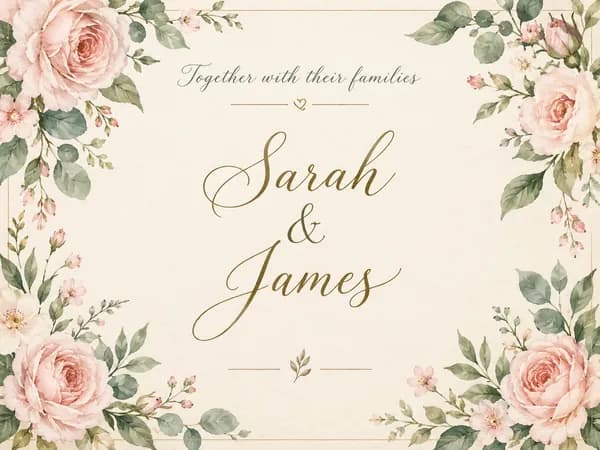
Wedding Invitation Maker
Printable 5×7 wedding invitations with your names, date and venue, plus a phone-ready version.
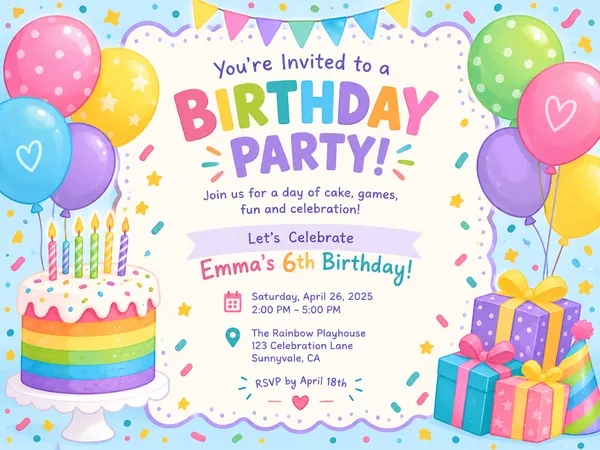
Birthday Invitation Maker
Themed birthday invitations for kids and adults, printable at 5×7 or shareable by text.

Event Flyer Maker
Posters and flyers for parties, gigs and community events, for print and Instagram.