

Warm Vlog YouTube Thumbnail Maker
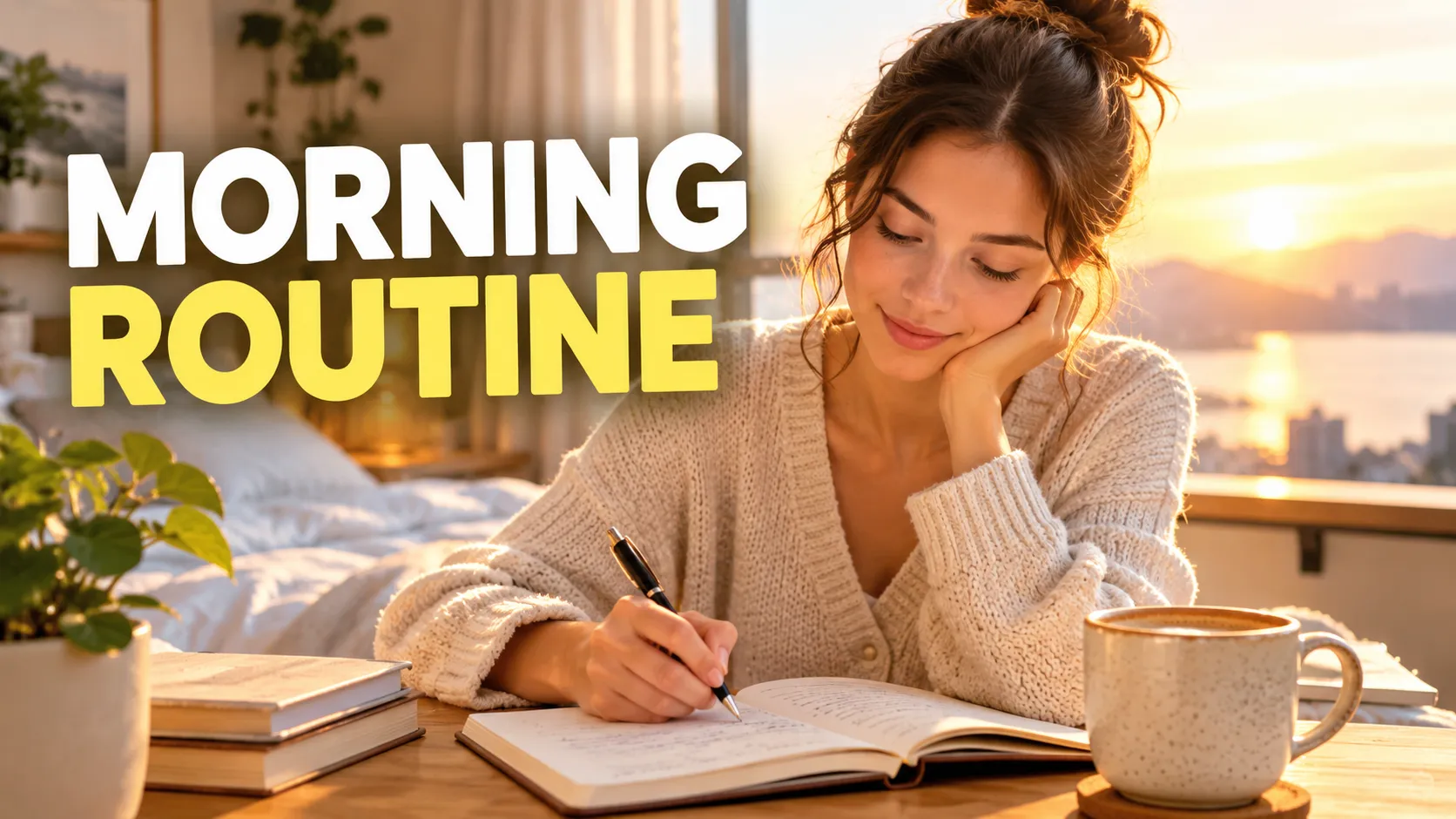
The warm vlog style leans on soft golden light, natural tones and a friendly, readable sans-serif headline. It feels personal and inviting, as though the viewer is being asked in for a cup of coffee.
Type a short headline, say what the day or the story is, and add your own photo if you like. The thumbnail will look like a good frame from a well-lit video.
This is the Warm vlog style of the YouTube Thumbnail Maker. The form on this page opens with it already selected.
Warm vlog examples

Who the Warm vlog style suits
Day-in-the-life and routine videos
A woman journaling by a sunrise window or a freelancer with coffee in a café suits this warm, lived-in mood.
Lifestyle and creator channels
Wellness, study, productivity and home videos often use warm tones to feel approachable.
Personal brand channels
When the creator is the draw, a friendly face in soft light builds a familiar look across videos.
Getting the best Warm vlog result
- 1
Upload a natural photo
Smiling, relaxed photos fit the style. The maker keeps your likeness as is, so a warm expression gives a warm result.
- 2
Choose a conversational headline
"DAY IN MY LIFE" or "MORNING ROUTINE" fits better than shouting. Keep it short so it stays readable.
- 3
Describe light and place
Mention a window, a café table or golden hour in the topic. These details give the picture its warmth.
- 4
Keep a consistent look
Using the same style across a series makes your channel recognizable, which helps returning viewers spot new uploads.
Ideas to try
- Headline: "MORNING ROUTINE", topic: a woman journaling with coffee beside a sunrise window
- Headline: "DAY IN MY LIFE", topic: a freelancer with a laptop and coffee in a sunny café
- Headline: "MOVING TO A NEW CITY", topic: a smiling person with a suitcase on a quiet street at golden hour
- Headline: "SUNDAY RESET", topic: a cozy living room with a cleaning basket and a candle
What you download
Every design from the YouTube Thumbnail Maker comes with the files for the job, whichever style you choose:
- YouTube thumbnail 1280×720 JPG (under 2 MB)
- Full HD 1920×1080 JPG
Questions about the Warm vlog style
Is a vlog style good for tutorials?+
It can be, if your channel has a personal tone. For tutorials with a more technical feel, try clean and minimal.
Will my face look like me?+
Likeness is preserved well in most cases but not perfectly. Check the face closely before you publish.
Can I use a photo from a video frame?+
Yes, if it is clear and well lit. Photos with strong light from the front work best.
Is the text easy to read on a phone?+
The headline is large and set in a readable sans-serif. Test it at small size, and shorten the text if it feels crowded.
YouTube thumbnail styles




Guides
YouTube Thumbnail Size and Requirements
The right YouTube thumbnail size: 1280×720 px works for most uploads, 3840×2160 px is the maximum recommended. Aspect ratio, file limits, Shorts and safe area.
YouTubeYouTube thumbnail best practices
Make YouTube thumbnails that stay readable on phones, leave the bottom-right clear for the duration badge, and match your video without misleading viewers.
Size guideBook Cover Size for eBooks and Paperbacks
Kindle cover size 1600×2560 px per KDP, plus paperback full-wrap PDF rules, 0.125 in bleed, spine width, and why print needs back cover and spine.