

Fantasy Book Cover Maker
A fantasy cover promises another world before the first page. The usual signals are a painted, atmospheric scene, a dramatic sky, one powerful object such as a throne, a sword or a tower, and gold or metallic lettering with a little ornament. Readers who browse fantasy look for these cues and tend to skip a cover that lacks them.
Enter your title and author name, add a subtitle or series line if the book has one, and describe the central image. PiCraft paints a front cover in this style and sets the title large enough to read as a thumbnail. You download a 1600×2560 px eBook JPG and a 6.125×9.25 inch front panel with bleed for a 6×9 inch paperback.
This is the Fantasy genre of the Book Cover Maker. The form on this page opens with it already selected.
Fantasy examples
Who the Fantasy genre suits
Epic and high fantasy novels
Quests, wars over a crown and chosen-one stories suit the grand skies, castles and armored heroes this style paints.
Series with a recurring emblem
A crown, a flame or a sigil can return on every book. Keep the genre the same and describe a related image for each title, so the shelf of covers reads as one series.
Authors testing cover directions
Try a throne on a mountain, a queen under a night sky and a knight on a bridge before you brief an illustrator or order a print run.
Getting the best Fantasy result
- 1
Build the cover around one image
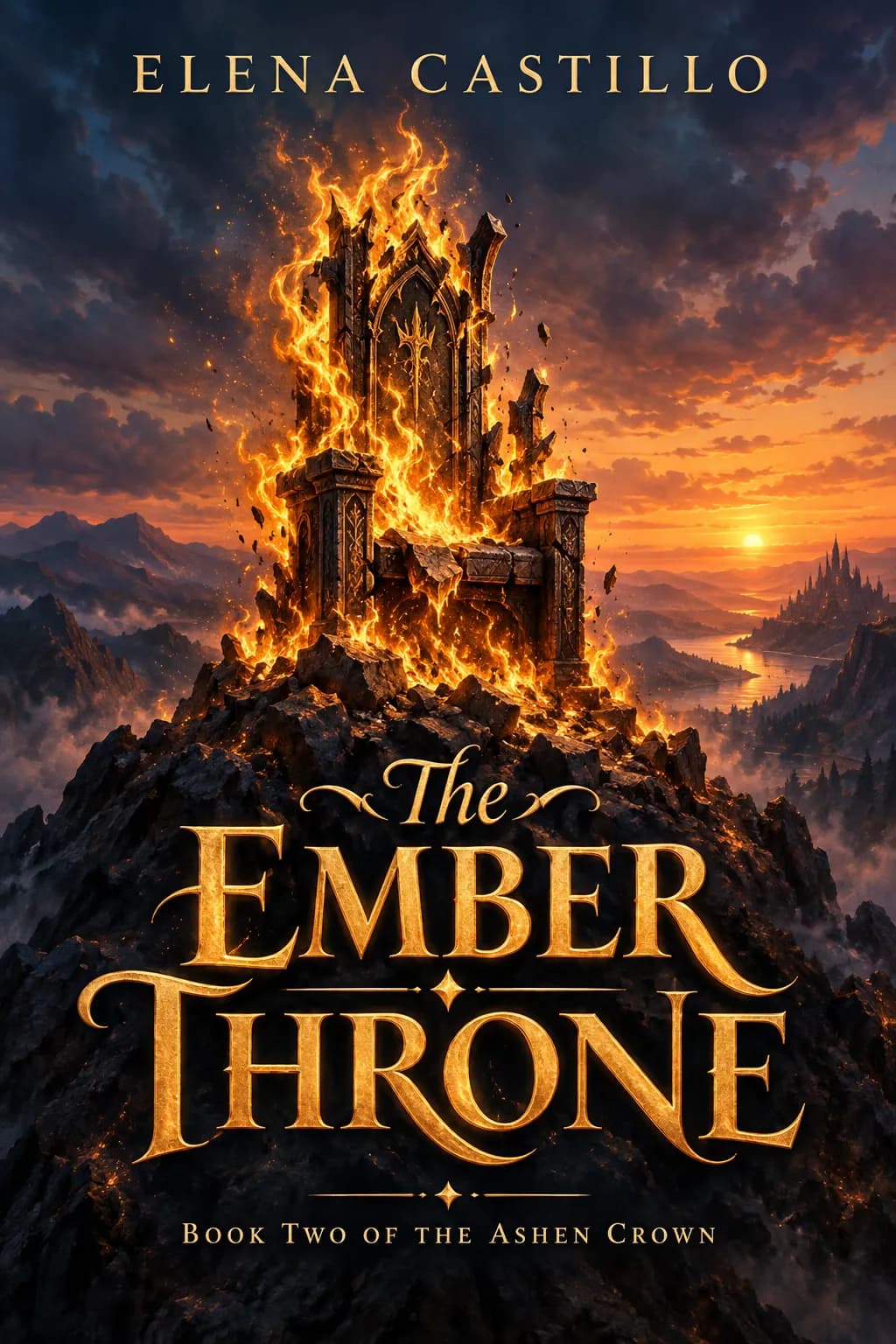
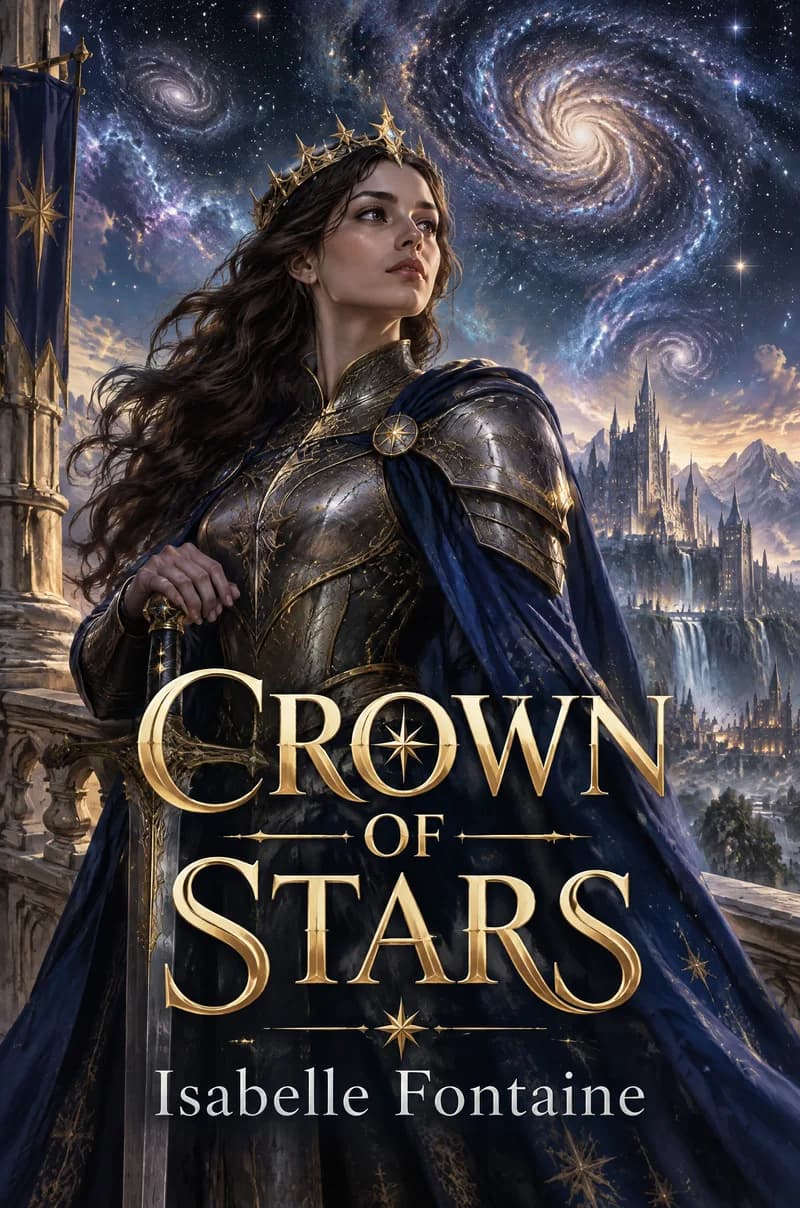
A throne wreathed in golden flames, or a young queen beneath a swirling galaxy, gives the painting a clear center. A map of ten kingdoms, three dragons and a battle at once makes the cover busy and shrinks the title.
- 2
Use the subtitle field for the series line
A line such as "Book Two of the Ashen Crown" tells fantasy readers that a long story is on offer. Keep it under about eight words, because a long series line is set in tiny type.
- 3
Choose a short, strong title
Fantasy titles are usually set in large ornate capitals, often in gold. Two or three words, like The Ember Throne or Crown of Stars, fit that lettering best. A seven-word title forces smaller type that is harder to read at 160 px tall.
- 4
Read every invented name letter by letter
Fantasy titles and author names often contain made-up words. The text is drawn into the image, so check each letter and generate again if one has changed.
Ideas to try
- Title: "The Ember Throne", subtitle: "Book Two of the Ashen Crown", author: "Elena Castillo", cover idea: "A crumbling throne engulfed in golden flames atop a mountain peak at dusk"
- Title: "Crown of Stars", author: "Isabelle Fontaine", cover idea: "A young queen in armor under a sky of swirling galaxies"
- Title: "The Hollow Lantern", author: "Mara Voss", cover idea: "A lone knight carrying a lantern across a ruined stone bridge at dawn"
- Title: "Wolves of the Winter Court", subtitle: "A novel of frost and fealty", author: "Tomas Reyes", cover idea: "A silver wolf in front of a ring of snowy standing stones under the northern lights"
What you download
Every design from the Book Cover Maker comes with the files for the job, whichever genre you choose:
- eBook cover 1600×2560 JPG
- Paperback front 6.125×9.25 in (6×9 trim + bleed), 300 DPI
Questions about the Fantasy genre
What makes a cover look like fantasy?+
Readers pick up three cues first: a painted or richly illustrated scene, a sky or landscape that is clearly not ordinary, and ornate title lettering, often in gold. This option asks for all three, so you only have to describe the central picture.
How is a fantasy cover different from a thriller cover?+
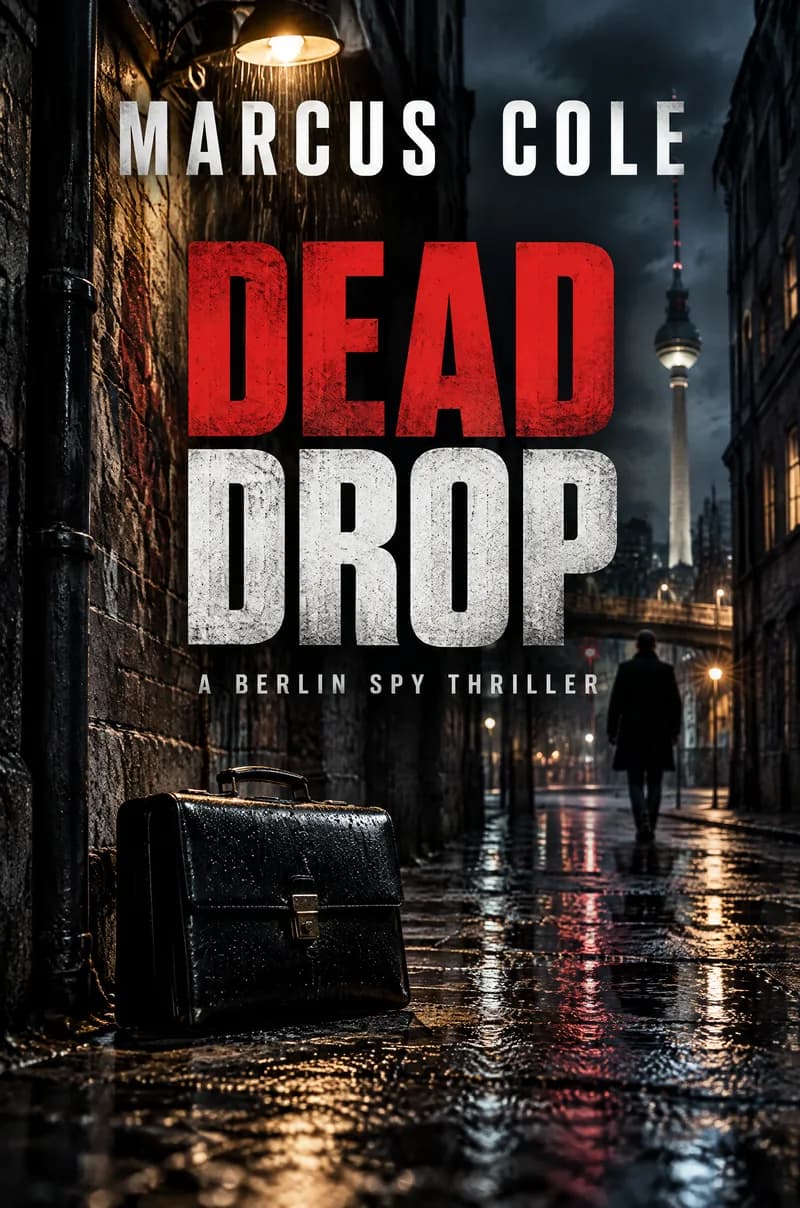
A fantasy cover is painterly, colorful and sets the title in decorative capitals. A thriller cover is dark and photographic, with heavy condensed type. Pick the one your readers shop for, not the one you like better.
Is the eBook file the right size for Kindle?+
Yes. The eBook cover is a 1600×2560 px JPG in RGB, which matches KDP's ideal size. The book cover size guide lists the other upload rules.
Can I get a full paperback wrap with spine and back cover?+
No. The maker produces the front cover only. A printed fantasy novel needs a wrap sized to its page count; the KDP paperback cover size guide shows how to work it out and where the front panel goes.
Can I put a dragon or a famous character on the cover?+
Original creatures and scenes are fine. Avoid naming characters, logos or settings that belong to someone else's books or films, because the image and your book could infringe their rights.
Book cover genres

Guides
Book Cover Size for eBooks and Paperbacks
Kindle cover size 1600×2560 px per KDP, plus paperback full-wrap PDF rules, 0.125 in bleed, spine width, and why print needs back cover and spine.
Size guideKDP Paperback Cover Size, Spine Width and Bleed
KDP paperback cover size for any trim: width = 2 × trim + spine + 0.25 in, height = trim + 0.25 in. Spine width by paper type, bleed, barcode and file rules.
Size guideYouTube Thumbnail Size and Requirements
The right YouTube thumbnail size: 1280×720 px works for most uploads, 3840×2160 px is the maximum recommended. Aspect ratio, file limits, Shorts and safe area.