

Free tool
Image size checker
Updated
Drop in an image, pick where it is going, and see in a second whether the pixel size, aspect ratio, file size and file type meet the spec. Nothing is uploaded: the check runs in your browser.
1. Where is the image going?
1280×720 px
Ratio 16:9 · At least 640 px wide · JPG or PNG · 2 MB or less is safest, 50 MB at most
YouTube's recommended resolution is up to 3840×2160 px; 1280×720 px is the common working size.
The video length badge covers the bottom-right corner in most views. YouTube does not publish its size, so the box only marks roughly where it sits.
Read the YouTube Thumbnail Size and RequirementsMake it with the YouTube Thumbnail Maker
2. Drop your image
Need a blank guide at this size?
A 1280×720 px layer with the lines drawn on it. Put it under your artwork and hide it before you export.
What the checker looks at
- Pixel size: compares the width and height with the size the platform or printer expects, and flags an image that is below the stated minimum.
- Aspect ratio: shows how far the shape is from the one required and how much to crop to fix it.
- File size and file type: for example the 2 MB thumbnail limit in the YouTube mobile app, or the 8 MB limit for a LinkedIn banner.
- Resolution at print size: for print presets the tool divides the pixels by the inches of the file, bleed included, and reports the DPI.
- Transparency: for sticker and shirt files it looks for transparent pixels and the PNG format.
- Amazon main images: it estimates how white the border is and how much of the frame the product fills. Amazon does not say how it measures either, so treat both numbers as estimates.
How the guide overlay works
Pick a print preset and the preview shows three lines. The pink band is the bleed: extend backgrounds and photos into it so a small cutting error never leaves a white edge. The black line is the trim, where the sheet is cut. The blue dashed line is the safe area: keep names, prices and logos inside it. The bleed follows the size guides: 0.125 in for the US sizes and 3 mm for A4 and the European business card.
The platform presets carry zones instead. YouTube thumbnails show the corner where the video length appears. YouTube does not publish the size of that badge, so the box is a rough marker. LinkedIn banners show the right half as the best place for text, because the profile photo covers the lower left of the banner. That is advice from the size guide, not a LinkedIn rule.
Download a guide template
Every preset with a fixed size can export a blank guide at the exact pixel size, with the same lines drawn on it. Put the file on its own layer under your artwork and hide that layer before you export. Any editor that opens PNG or SVG files will do.
The PNG is offered up to about 16 megapixels. Larger sizes, such as the 4500×5400 px shirt graphic, are offered as SVG only, drawn at the exact pixel size.
Where the numbers come from
Every preset uses the figures from one of the PiCraft size guides, and each guide links the official page it was checked against. The table below lists each preset with its target and rules, and the guide to read for the reasons behind them.
Platforms change their requirements, and printers differ from each other. If a printer gives you its own template, use that one. If a figure here is out of date, write to support@picraft.ai and we will fix it.
What the checker cannot tell you
- It does not read color profiles or tell RGB from CMYK. Printers disagree on which they want, so ask yours.
- It cannot see whether your text sits inside the safe area. Use the overlay and the template for that.
- Browsers cannot open every format. TIFF and HEIC files often fail to load, so convert them to JPG or PNG to check them.
- The white background and product fill checks use a reduced copy of the image and a fixed tolerance, so they can disagree with a marketplace's own check.
Presets and rules
Each row links to the size guide that explains the numbers and cites the official page.
| Preset | Target | Other rules | Guide |
|---|---|---|---|
| YouTube thumbnail | 1280×720 px | Ratio 16:9 · At least 640 px wide · JPG or PNG · 2 MB or less is safest, 50 MB at most | YouTube Thumbnail Size and Requirements |
| YouTube Shorts thumbnail | 2160×3840 px | Ratio 9:16 · At least 640 px tall | YouTube Thumbnail Size and Requirements |
| LinkedIn profile banner | 1584×396 px | Ratio 4:1 · JPG or PNG · Under 8 MB | LinkedIn Profile Banner Size and Safe Area |
| Instagram or Facebook feed post (4:5) | 1080×1350 px | Ratio 4:5 | Event Flyer Size for Print and Social Media |
| Stories and vertical video (9:16) | 1080×1920 px | Ratio 9:16 | Event Flyer Size for Print and Social Media |
| Business card, US (3.5×2 in) | 1125×675 px at 300 DPI (3.75×2.25 in with bleed) | 0.125 in bleed on every edge · Keep text 0.125 in inside the trim | Business Card Size, Bleed and Print Resolution |
| Business card, Europe (85×55 mm) | 1075×720 px at 300 DPI (91×61 mm with bleed) | 3 mm bleed on every edge · Keep text 3 mm inside the trim | Business Card Size, Bleed and Print Resolution |
| Invitation, 5×7 in (wedding or birthday) | 1575×2175 px at 300 DPI (5.25×7.25 in with bleed) | 0.125 in bleed on every edge · Keep text 0.25 in inside the trim | Wedding Invitation Size and Print Specs |
| Flyer or menu, US Letter (8.5×11 in) | 2625×3375 px at 300 DPI (8.75×11.25 in with bleed) | 0.125 in bleed on every edge | Event Flyer Size for Print and Social Media |
| Menu, A4 (210×297 mm) | 2551×3579 px at 300 DPI (216×303 mm with bleed) | 3 mm bleed on every edge | Restaurant Menu Print Size and Layout Limits |
| Kindle eBook cover (Amazon KDP) | 1600×2560 px | Height at least 1.6× the width · Minimum 625×1000 px · Up to 10,000 px · JPG or TIFF · Under 50 MB | Book Cover Size for eBooks and Paperbacks |
| Amazon main product image | Longest side 1000 px or more | 1600 px or more recommended · Up to 10,000 px · JPG, PNG, TIFF or GIF · Pure white background · Product fills 85% or more | Amazon Product Image Size and Main Image Rules |
| MLS listing photo | 2048×1536 px | Ratio 4:3 · Minimum 1024×768 px · JPG · 6 MB or less is safest, 10 MB at most | Real Estate Listing Photo Size and MLS Requirements |
| Sticker PNG, 3×3 in | 900×900 px | Ratio 1:1 · PNG · Transparent background | Sticker Size and File Requirements |
| T-shirt front graphic (15×18 in) | 4500×5400 px | Ratio 5:6 · PNG · Transparent background | T-Shirt Print File Size and Placement |
Frequently asked questions
Is my image uploaded anywhere?+
No. Your browser opens the file and measures it there. Nothing is uploaded, and PiCraft never sees the image or its file name. The page only records which preset you picked and whether the checks passed.
Which file types can I check?+
Any image your browser can open, usually JPG, PNG, WebP and GIF. TIFF and HEIC files often do not open, so convert them first.
Why does a 1280×720 px thumbnail pass when YouTube recommends 3840×2160 px?+
The YouTube thumbnail size guide lists 1280×720 px as the common working size and 640 px wide as the minimum, with 3840×2160 px as the recommended resolution. The checker uses 1280×720 px as the target: it passes anything at or above it with the right ratio, and warns between 640 px and 1280 px wide.
How is the DPI worked out?+
The tool divides the pixel width by the width of the print file in inches, bleed included, and does the same for the height. The lower number is the DPI. A 1575×2175 px file for a 5×7 in invitation with 0.125 in bleed is exactly 300 DPI.
Is the white background check the same as Amazon's?+
No. Amazon does not publish its method. The checker looks at the pixels along the border of a reduced copy of your image and reports how many are pure white, with a small allowance for JPEG noise. Use it to catch a grey shadow or an off-white backdrop before you upload; the listing editor has the final say. The Amazon product image guide has the full rules.
Can I use the templates in any design program?+
Yes, if it opens PNG or SVG files. Place the template on the bottom layer, design on top of it, and hide it before you export, or the lines will print.
My printer gives a different bleed. Which one wins?+
The printer's. 0.125 in or 3 mm is the common figure, but templates differ. Pick the closest preset to check your pixels, then follow the printer's template for the lines. What is bleed in printing explains the terms.
Sources
The numbers come from the official pages cited in the size guides. Platforms change their requirements, so check the official page before you submit a file.
T-Shirt Print File Size and Placement
- Printful Help: How should I prepare my print file for the best results?
- Printful Help: Standard 15″ × 18″ print placement for DTG products
- Printful Help: What is the maximum file size of a print file?
- Printify Help: What type of print files does Printify require?
- Printify Help: What dimensions should my design be?
- Redbubble Help: Dimensions & Format
- Amazon Merch on Demand resources
Make a file at the right size
These PiCraft makers export files at the sizes above, so a design starts at the right pixels.

YouTube Thumbnail Maker
Click-worthy 1280×720 thumbnails with bold headline text, optionally featuring your face.
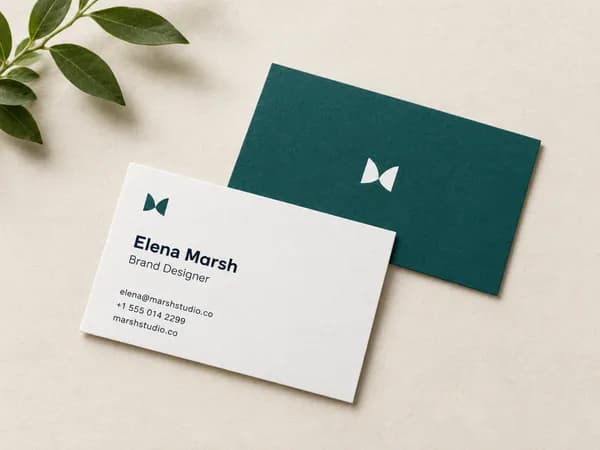
Business Card Maker
Enter your name and contact details, get a designed business card as a print-ready PDF in US or EU size.
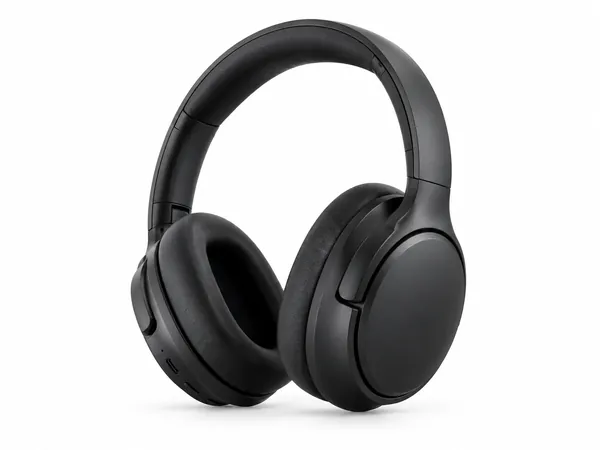
Amazon Product Photo Maker
Pure-white main images and lifestyle shots sized for Amazon, Etsy and Shopify.

Sticker Maker
Die-cut sticker designs with a white border, exported as transparent PNGs.