Text to Image Generator
Describe any image, choose a model and download the original file: PNG, transparent PNG or animated GIF.
How it works
- 1
Choose a model
Nano Banana, GPT Image 2.6 or GPT Image 2.5. Try the same description on each.
- 2
Describe it, pick a shape
Write what you want, then choose the shape and the resolution.
- 3
Create and download
Most images take 10–35 seconds. You get the original file and a smaller JPG copy.
Made with the Text to Image Generator
Each image shows its model, shape, resolution and the exact words typed. Nothing was retouched; the files are only resized.
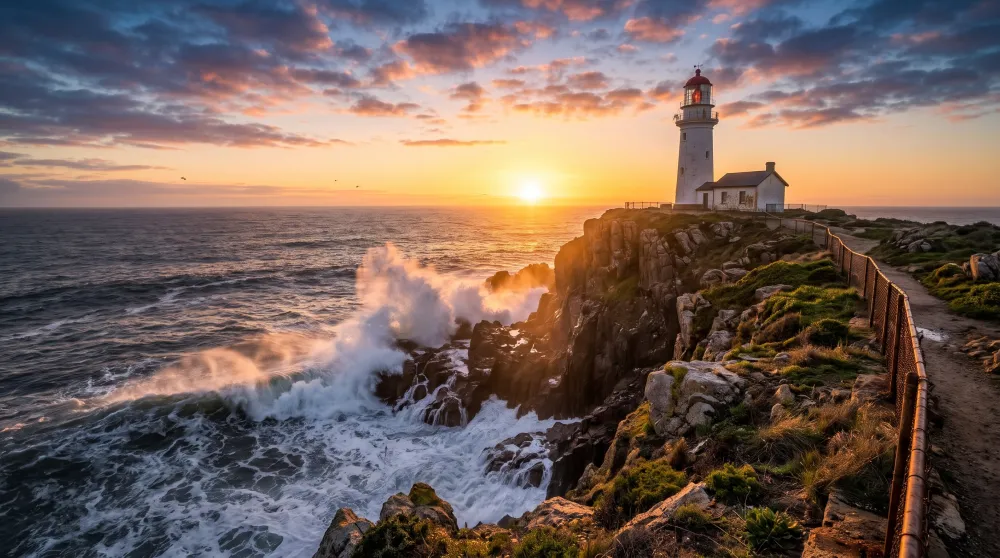
Nano Banana 2.1 · 16:9 · 2K
“A lighthouse on a rocky cliff at sunrise, waves crashing against the rocks below, photorealistic, golden light”
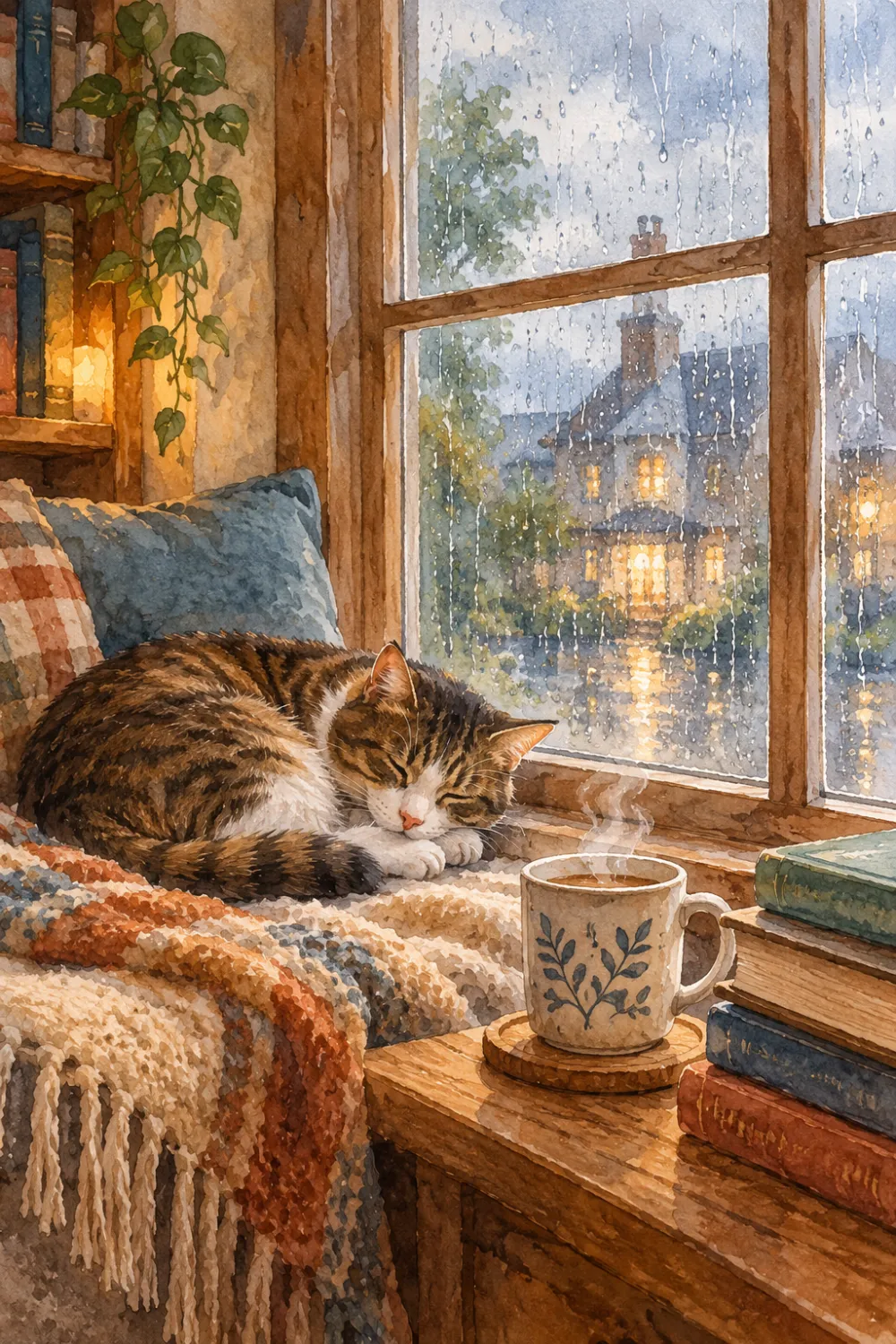
GPT Image 2.5 · 2:3 · 1K
“A cozy reading nook by a rainy window with a sleeping cat, a steaming mug and a stack of books, soft watercolor painting”
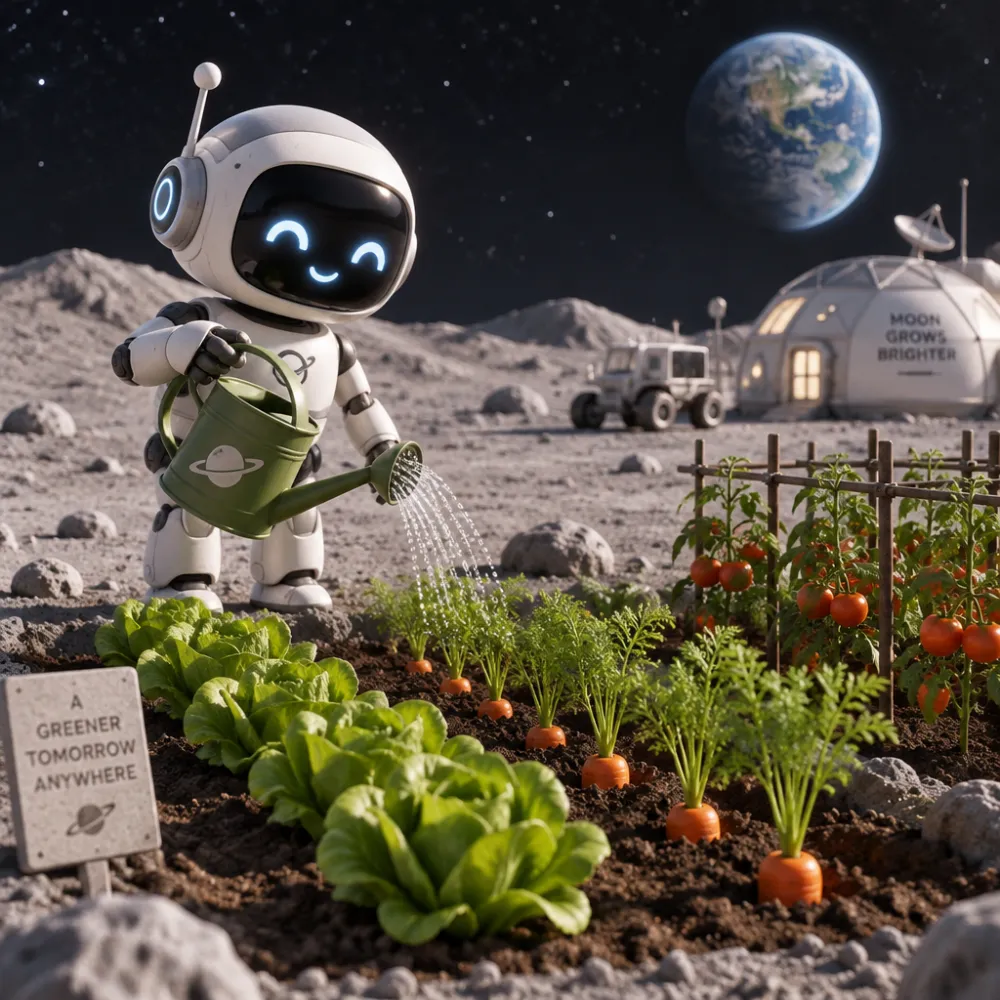
GPT Image 2.5 · 1:1 · 1K
“A small friendly robot with a watering can tending a vegetable garden of lettuce, carrots and tomatoes on the moon, stylized 3D render”
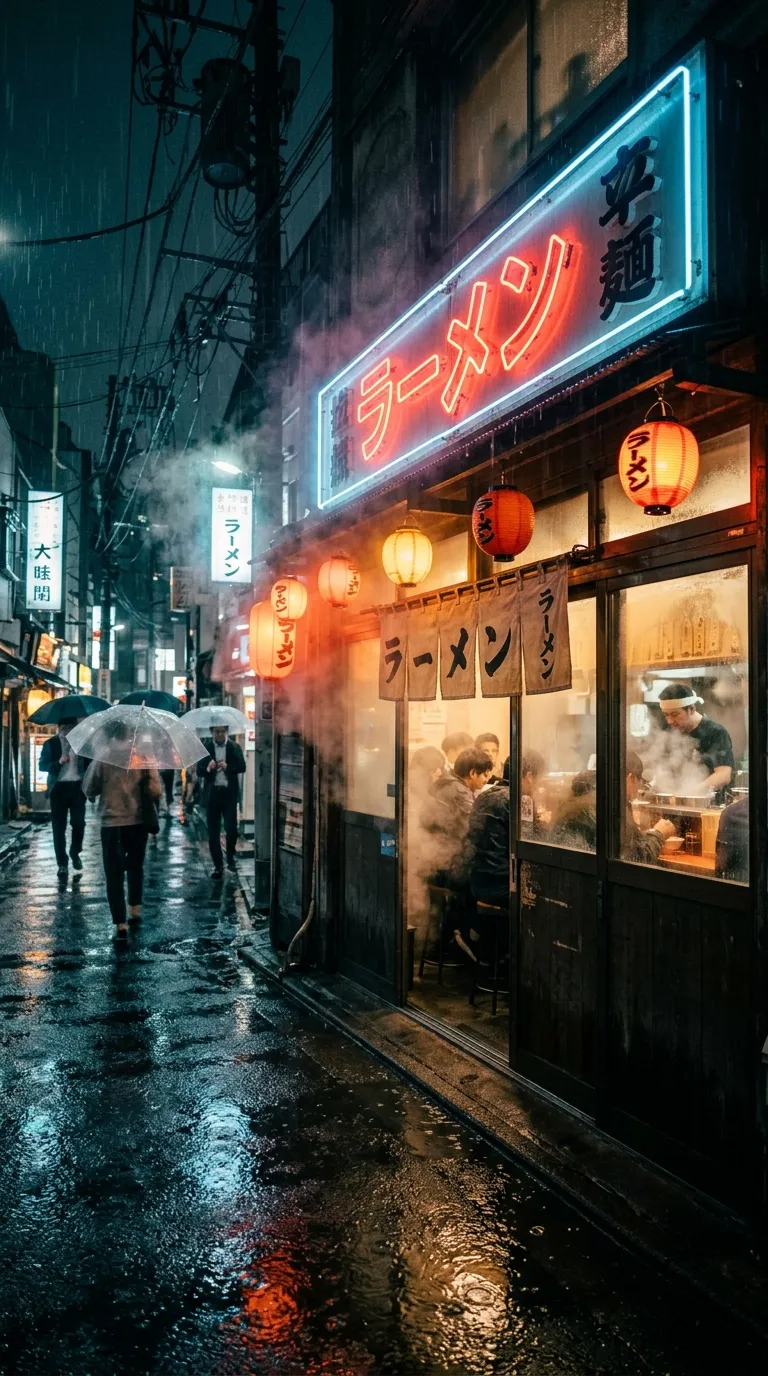
Nano Banana 2.1 · 9:16 · 1K
“A neon-lit ramen shop on a rainy street at night, steam drifting out of the doorway, cinematic”
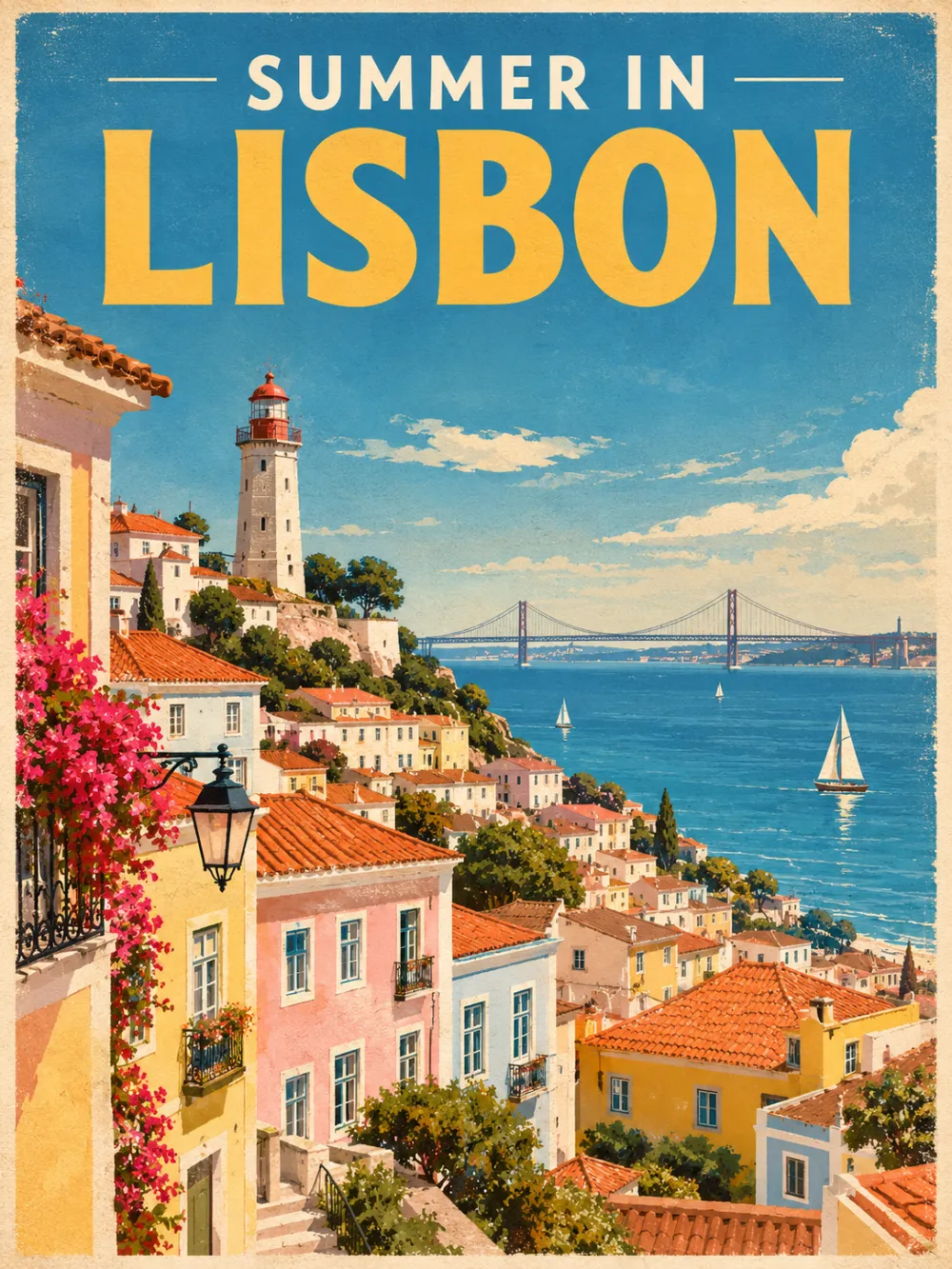
GPT Image 2.5 · 3:4 · 1K
“A vintage travel poster of a seaside town with pastel houses and a lighthouse, with the words SUMMER IN LISBON in bold letters at the top”
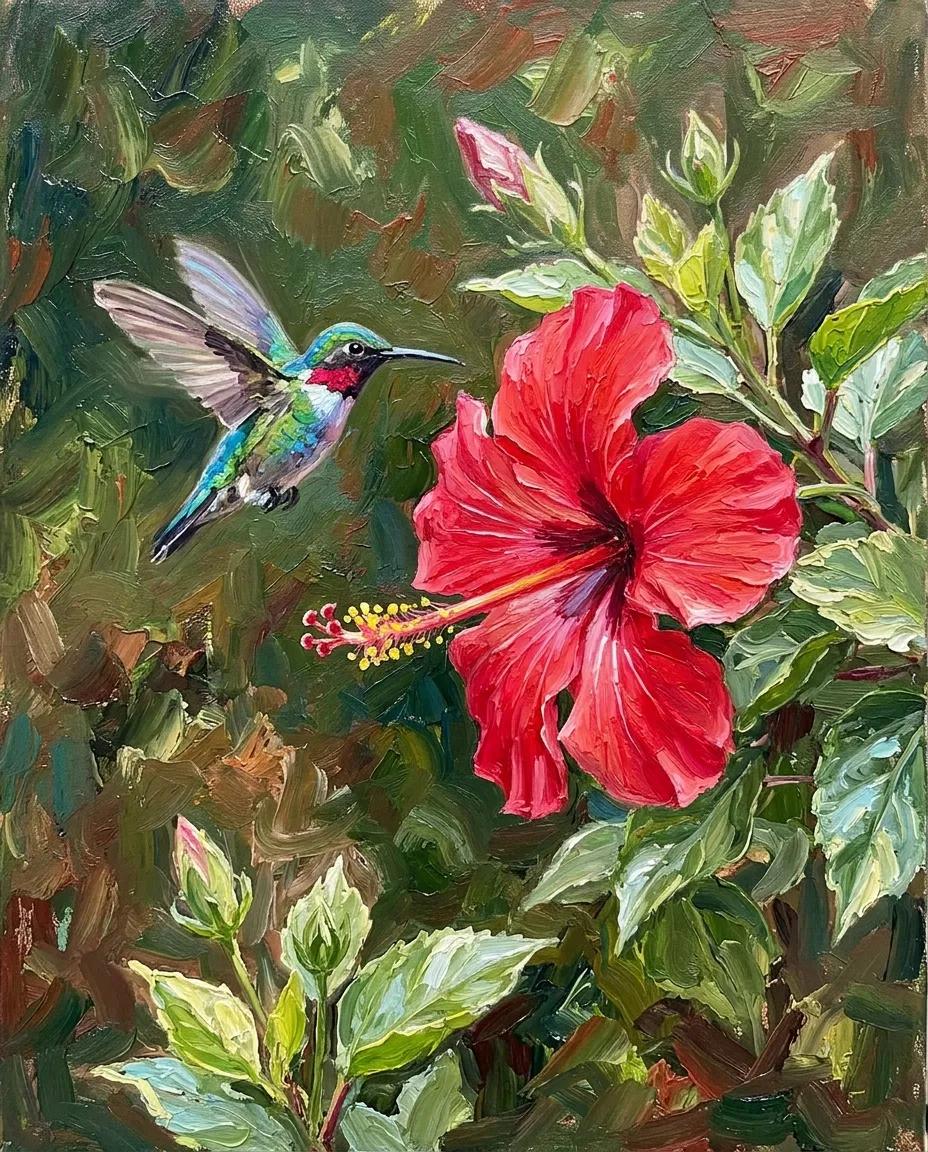
Nano Banana 2.1 · 4:5 · 1K
“A hummingbird hovering beside a red hibiscus flower, oil painting with thick brushstrokes”
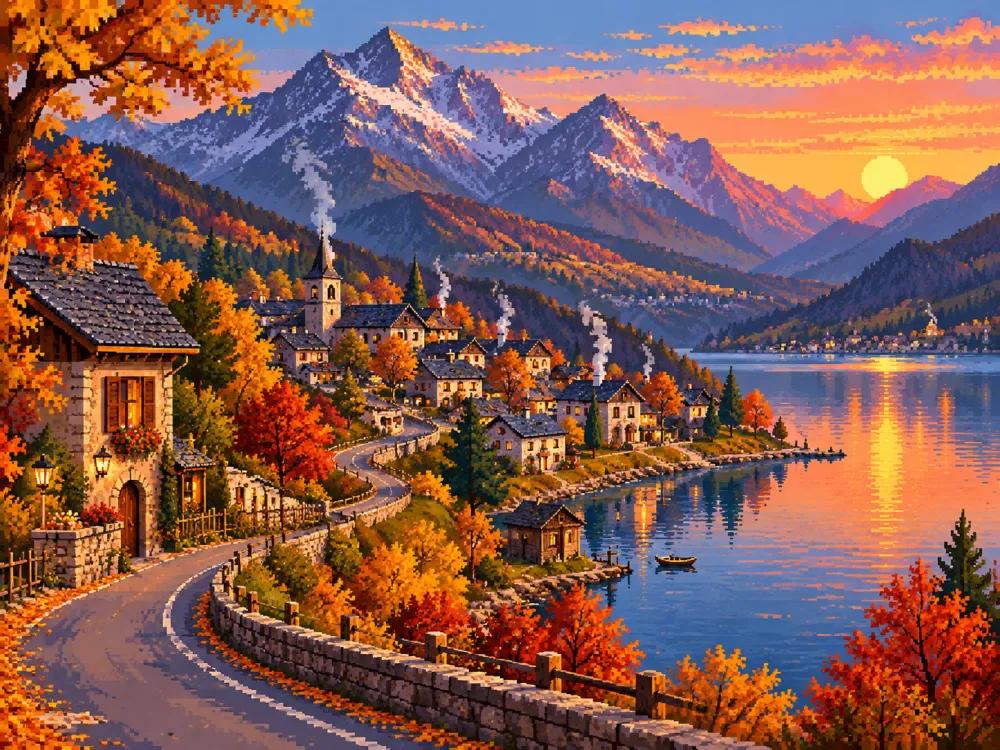
GPT Image 2.5 · 4:3 · 1K
“A mountain village in autumn with a winding road, a lake and smoke rising from the chimneys, pixel art”
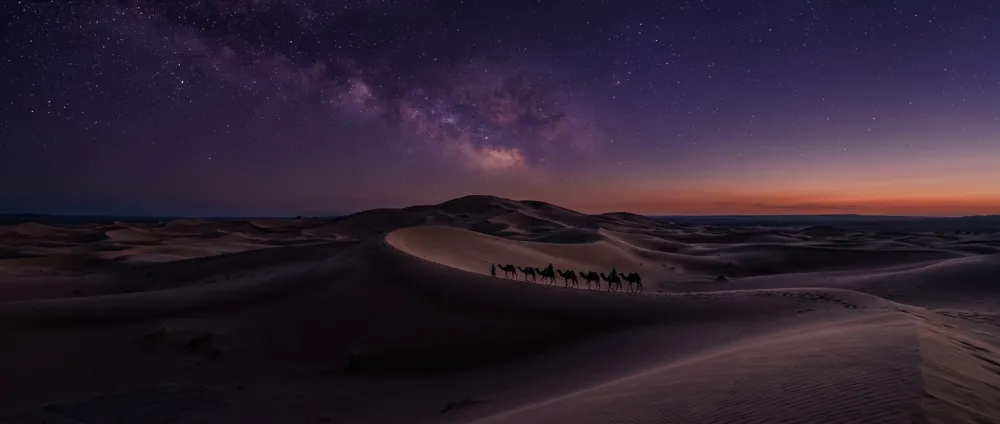
Nano Banana 2.1 · 21:9 · 1K
“A wide panorama of a desert at dusk with a lone camel caravan walking along a dune and a purple sky full of stars”
How the Text to Image Generator works
You write a description, choose Nano Banana or GPT Image, and pick a shape, a resolution and, with GPT Image, a transparent background or an animated GIF. PiCraft sends your words to the model you chose, exactly as you typed them, and gives you back the file the model made. There is no style menu, no template and no crop, so what you write is what the model sees, and what the model returns is what you download.
That makes the description the whole job. If you want a watercolor, say watercolor. If you want a photo taken at golden hour, say that. The models read the same sentence a little differently, which is why the model switch is there: run an idea on two of them, keep the better image, and use that result to work out what to change next.
Every image is a new roll of the dice, so a second or third try of the same idea is normal. Each image uses credits (1 for 1K, 2 for 2K, 3 for 4K, and 2 or 3 for an animated GIF), and the credits come back automatically when an image can't be made. A good habit is to explore at 1K and spend the larger resolutions on the version you are going to use.
What you get with the Text to Image Generator
The original file
You download the image as the model returned it, at the pixel size that belongs to the shape and resolution you chose. Nothing is cropped, recolored or compressed on our side.
A smaller JPG copy
Next to the original comes a JPG copy that is lighter to send, post or attach. Use the original when you need every pixel and the JPG when you need a small file.
Your choice of model
Nano Banana, GPT Image 2.6 and GPT Image 2.5 are listed side by side on the form. Switch between them for the same description and compare the results yourself.
Shapes from square to panorama
Pick a shape that fits where the image is going, from 1:1 to 21:9, and with GPT Image banners such as 2:1 and 3:1. Nano Banana adds tall strips like 1:4 and wide strips like 4:1, and both make 4:5 portraits.
A transparent background
Choose Transparent with GPT Image and the PNG comes with no background, so a sticker, an icon or a product can go straight onto a page, a shirt mockup or a sticker sheet. A JPG copy on white comes with it.
An animated GIF
Choose Animated GIF with GPT Image 2.6, pick 6, 9 or 12 frames and a speed, and download a looping GIF. It costs 2 or 3 credits.
Up to 4K
Choose 1K, 2K or 4K: Nano Banana goes up to 4K and GPT Image up to 2K. PiCraft shows only the resolutions each model supports for the shape you picked, with the price next to each one.
A record of your images
Finished images are listed under My files in the same browser for 90 days, so you can come back and download them again.
Models, shapes and resolutions
| Model | Made by | Resolution, cost and shapes | Also makes |
|---|---|---|---|
| Nano Banana 2.1 |
| – | |
| GPT Image 2.6 | OpenAI |
|
|
| GPT Image 2.5 | OpenAI |
|
|
- Auto lets the model choose the shape from your description. GPT Image makes Auto images at 1K only; pick a shape to get 2K with GPT Image, or 2K and 4K with Nano Banana.
- The price depends on the resolution, not on the model: 1K costs 1 credit, 2K costs 2 credits and 4K costs 3 credits (GPT Image goes up to 2K). A transparent background costs the same as an image. An animated GIF costs 2 credits for 6 frames and 3 credits for 9 or 12 frames. If an image can't be made, the credits are returned automatically.
- GPT Image makes 1K images up to about 1.5K pixels on the long edge and 2K images at 2048 pixels on the long edge. A GIF is made at its own size, which shrinks as you add frames: a square GIF is about 960 px with 6 frames, 930 px with 9 and 820 px with 12 (measured in November 2026).
- PiCraft only offers the combinations a model supports, so you never pay for something you do not get. The exact pixel size of your file is shown next to the download link.
- You get the original file exactly as the model made it, plus a smaller JPG copy for sharing. A transparent PNG keeps its transparency, and its JPG copy is on white. A GIF comes as the GIF only. Nothing is cropped or resized.
What people use the Text to Image Generator for
Blog headers and slides
Describe the scene your post is about and pick 16:9. You get a header that fits the post instead of a stock photo that almost does.
Pinterest and social posts
Make an original vertical image for a board or a post. 2:3 is the Pinterest shape, and 9:16 fills a phone screen for Stories and short video covers.
Wallpapers and prints
Imagine a place, a pattern or a creature and use it as a phone wallpaper, a desktop background or a poster. 4K gives you room to print or crop.
Concept art and storyboards
Try a character, a room or a mood before you commit to it. Panoramic shapes such as 21:9 are good for establishing shots.
Product and packaging ideas
Mock up how a product might look on a counter, on a shelf or in a scene, then take the idea to a photographer or to the specific makers for a spec-ready file.
Stickers, icons and overlays
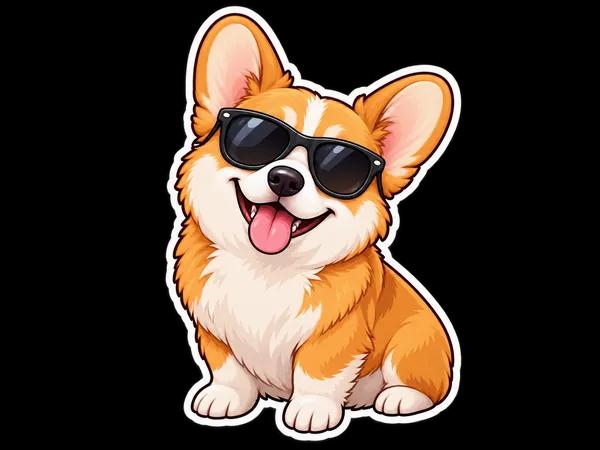
Ask for one subject, choose Transparent and you get a PNG with the background already removed, ready for a sticker sheet, a presentation or a design file.
Reaction GIFs and animated avatars
Describe a character and what it does, such as a fox that waves and then blinks, and make a looping GIF for a chat, a newsletter or a profile.
Banners and page headers
GPT Image makes wide 2:1 and 3:1 shapes, and Nano Banana goes to 4:1 and 8:1, so a header or a divider can have the shape of the place it goes.
Tips for better results
- 1
Start with the subject, then the place
"A red fox reading a book in an armchair by a rainy window" says who, what and where in one line. Everything else you add should change the picture in a way you can name.
- 2
Say the look in plain words
Write the medium and the finish you want: watercolor, oil painting, flat vector illustration, 3D render, photograph with a shallow depth of field. There is no style menu to do it for you.
- 3
Name the light
Soft window light, golden hour, neon at night, overcast noon. Light changes the mood more than any other single word.
- 4
Put exact words in quotes
If the image needs text, such as a poster title, write it in quotes and keep it short. Read every letter of the result before you use it.
- 5
Pick the shape before you write
A tall subject such as a lighthouse suits 9:16, and a desert suits 21:9. Choosing the shape first helps you describe a picture that fits it.
- 6
Change one thing at a time
If the result misses, adjust one detail and create it again. That shows you what each word does and saves credits.
- 7
Explore small, finish large
Try ideas at 1K, then create the final version at 2K or 4K. Remember that a larger file is a new image, not an enlargement of the first.
- 8
For a transparent background, ask for one subject
Describe a single subject on its own, such as "a sticker of a coffee cup, flat illustration, white outline". Soft shadows and glows can leave a faint edge, so look at the result on a light and a dark background before you use it.
- 9
For a GIF, describe the motion in order
Say what moves and in what order: "a fox waves, then blinks, then waves again". A simple, repeating motion works better than a story. Fewer frames give a bigger picture; more frames give a longer loop.
Nano Banana or GPT Image?
These models all turn a description into an image, and none of them is better at everything. These are the practical differences on PiCraft. For anything else, try your own description on each.
- Nano Banana 2.1, by Google
- Makes 14 shapes plus Auto, including 4:5, 5:4 and the strips 1:4, 4:1, 1:8 and 8:1, and offers 4K for every shape. It also takes up to 10 reference images in the Image to Image Generator.
- GPT Image 2.6 and 2.5, by OpenAI
- Both make 14 shapes plus Auto, including 4:5, 5:4 and the wide 2:1 and 3:1, at 1K and 2K (Auto at 1K only). Both can leave the background transparent and take up to 16 reference images in the Image to Image Generator. Only GPT Image 2.6 makes animated GIFs.
- The price
- The same for every model at the same resolution: 1 credit at 1K, 2 at 2K and 3 at 4K (GPT Image goes up to 2K). A transparent background costs the same as an image, and an animated GIF costs 2 credits for 6 frames and 3 for 9 or 12.
- How long each takes
- Measured on PiCraft in November 2026, at 1K: Nano Banana 2.1 took 10 to 34 seconds over 27 images, about 18 on average. GPT Image 2.5 took 13 to 56 seconds over 11 images, and 10 of them finished in under 30 seconds. In our own tests GPT Image 2.6 took about 20 to 40 seconds at 1K and 2K, with a transparent background and for GIFs. We do not have enough 4K runs to give a figure, so expect those to take longer. Times change with load. The earlier runs were mostly edits from reference images.
- When the result matters
- Create the same description with each model and keep the better one. Results vary from image to image, so one try is not a verdict on a model.
Before you download
- Check the subject: is everything you named in the picture, and nothing odd that you did not ask for?
- Look closely at hands, faces and small objects, which is where AI mistakes show first.
- Read every letter of any text that was drawn into the image.
- Confirm that the shape and the pixel size shown next to the download match the place the image will go.
- If the image looks realistic, check the platform's rules on labeling AI-generated content before you post it.
- Download the files now. Generated files are deleted after 90 days.
What the Text to Image Generator can't do
- The result is never exactly the same twice. If you need the same character or scene again, use the Image to Image Generator with the earlier result as a reference.
- Text in images is the most common thing to go wrong. Short, quoted words work best, and every letter needs a check.
- Every model applies its own safety checks and can refuse a request. When that happens no image is made and the credits are returned.
- The pixel size is set by the model. If a place needs an exact size, such as a 1280×720 thumbnail, use the matching maker, which crops and exports to that spec.
- Realistic images of real, identifiable people, other people's characters and brand logos can infringe rights or mislead viewers. You are responsible for what you describe and publish.
- A GIF is a short loop drawn on one sheet, not a video. The frames are small (about 960 px square for 6 frames, 820 px for 12), the motion is simple, and the subject can change slightly from frame to frame.
- A transparent background comes from GPT Image only, and GIFs from GPT Image 2.6 only. Nano Banana and GPT Image 2.5 do not make GIFs.
- PiCraft makes PNG, JPG and GIF files. It does not make SVG or other vector files.
Frequently asked questions
Is the Text to Image Generator free?+
You can try it free. Every new visitor gets a few free credits that work on any PiCraft tool. A 1K image costs 1 credit, a 2K image 2 credits and a 4K image 3 credits, and an animated GIF 2 or 3 credits, and you do not need an account. When your free credits are used up you can buy a credit pack or subscribe to keep creating.
Which model should I choose, Nano Banana or GPT Image?+
Both turn a description into an image, and the best way to choose is to try your own idea on each. Nano Banana offers more shapes, including very tall and very wide strips, and 4K for every shape. GPT Image (2.5 and 2.6) makes 14 shapes at 1K and 2K, can leave the background transparent, and GPT Image 2.6 can make animated GIFs. Create the same description with each and keep the one you prefer.
Do I need to write a long prompt?+
No. One or two plain sentences are enough: say what the subject is, what it is doing and where it is. Add the medium (a photo, a watercolor, a 3D render) and the light if you care about them. Longer descriptions work too, up to 4,000 characters.
Can I choose a style?+
There is no style menu. You describe the look in your sentence, for example "as an oil painting" or "as a photo taken at golden hour", and the model follows it. That keeps your words in charge and works the same way on every model.
Which shapes and resolutions can I use?+
Nano Banana makes 14 shapes plus Auto, from 1:8 to 8:1, at 1K, 2K and 4K. GPT Image makes 14 shapes plus Auto: 1:1, 4:5, 5:4, 3:4, 4:3, 2:3, 3:2, 9:16, 16:9, 21:9, 2:1, 1:2, 3:1 and 1:3. All of them come at 1K, which is up to about 1.5K pixels on the long edge, and at 2K, which is 2048 pixels on the long edge. Auto is available at 1K only. The form shows only what the chosen model supports.
Which shape should I pick for Pinterest or video?+
Pick the shape of the place the image will go. Use 2:3 for Pinterest Pins, 9:16 for full-screen vertical posts and phone wallpapers, 16:9 for video thumbnails and slides, 1:1 for avatars and squares, and 21:9 for banners and cinematic panoramas.
Which shape should I pick for a portrait post or a wide banner?+
GPT Image and Nano Banana both make 4:5 for portrait posts and 5:4 for landscape ones. For wide headers and banners GPT Image makes 2:1 and 3:1, and Nano Banana makes 4:1 and 8:1. For tall strips use 1:2 or 1:3 with GPT Image, and 1:4 or 1:8 with Nano Banana.
Can I make an image with a transparent background?+
Yes, with GPT Image. Under Result choose Transparent and describe one subject, such as a sticker, an icon or a product on its own. You download a PNG whose background is see-through, so it can sit on any page, shirt mockup or sticker sheet. It costs the same credits as a normal image, and the JPG copy that comes with it is on a white background. Nano Banana does not offer a transparent background.
Can I make an animated GIF with AI?+
Yes, with GPT Image 2.6. Under Result choose Animated GIF, pick 6, 9 or 12 frames and a speed, and describe what moves, in the order it happens: "a fox waves, then blinks". The GIF loops forever. It costs 2 credits for 6 frames and 3 credits for 9 or 12 frames. All the frames are drawn on one sheet, so more frames means a smaller picture: about 960 px square for 6 frames, 930 for 9 and 820 for 12. It is a short animation of your idea, not a video, and the subject can change slightly from frame to frame.
What is the difference between GPT Image 2.5 and 2.6?+
On PiCraft they offer the same options (14 shapes, 1K and 2K, a transparent background and up to 16 reference images), and GPT Image 2.6 can also make animated GIFs. Which one draws your idea better depends on the idea, so create the same description with both and keep the one you prefer.
Will text in the image be spelled correctly?+
Not always. All the models can draw text, but they can still misspell words. Put the exact words in quotes, keep them short and read the result letter by letter before you post or print it. If a letter is wrong, create the image again.
Can I use the images commercially?+
You are responsible for what you describe and what you publish. Don't use other people's names, faces, characters or brands in a way that infringes their rights or could mislead people, and check the rules of any marketplace where you plan to sell what you make.
What happens if the model refuses my description?+
Every model applies its own safety checks and can refuse some requests or return an error. When that happens, no image is made and your credits are returned automatically. Reword the description and try again.
How long does an image take?+
Most images take 10–35 seconds at 1K, with any model. In our own tests in November 2026, GPT Image 2.6 took about 20 to 40 seconds at 1K and 2K, with a transparent background and for GIFs. 4K images take a little longer. You can keep the tab open, and finished images are also listed under My files.
How long are my images kept?+
Generated files are deleted automatically after 90 days, so download the ones you want to keep. Your recent images are listed under My files in the same browser.
Should I label the images as AI-generated?+
Often, yes. Many platforms ask you to label realistic AI images. YouTube, for example, asks creators to disclose realistic AI-generated content. Check the rules of the platform where you post.
Can I start from my own photo instead?+
Yes. The Image to Image Generator takes one or more reference photos and an instruction, such as turning a photo into a watercolor painting or putting a product from one photo into the scene of another.
Last updated: