

Stickers
Kiss-Cut vs Die-Cut Stickers: Which File Each Printer Wants
By the PiCraft team · Updated
In short
A die-cut sticker is cut through the vinyl and the backing, so it arrives as one loose piece in the shape of your art. A kiss-cut sticker is cut through the vinyl only, so it stays on a backing sheet. Most print-on-demand shops cut both from the edge of a transparent PNG at 300 DPI, while printers that sell stickers directly often want a vector cut path.
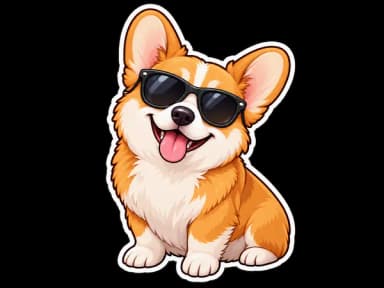
Make it with PiCraft
Sticker Maker
Die-cut sticker designs with a white border, exported as transparent PNGs.
Die-cut vs kiss-cut: where the blade stops
Both cuts follow the outline of your design. The difference is how deep the blade goes. StickerApp puts it simply: a die-cut sticker is cut through the sticker and the backing, so each one is a separate piece in the exact shape of the design. A kiss-cut sticker is cut through the sticker only, so the backing stays whole with a margin around it.
| Feature | Die-cut | Kiss-cut |
|---|---|---|
| Blade depth | Through the vinyl and the backing | Through the vinyl only |
| What arrives | One loose sticker in the shape of the art | A sticker on a backing sheet, alone or with others |
| Peeling | Nothing to peel off | Peel it off the backing, which has an edge to grip |
| Space around the art | None, the sticker is the shape | The backing can carry a logo, a handle or care text |
| Several designs | One design per sticker | A sticker sheet holds many designs on one backing |
| Fine or delicate edges | Works best with a bold, simple outline | The backing supports small and intricate shapes |
The sticker size guide already defines the two terms next to the pixel math. This page covers the part it leaves out: what each printer asks you to upload.
Which cut to choose
- Pick die-cut when the shape is the design and you want each sticker to arrive as its own piece, for packaging inserts or hand-outs.
- Pick kiss-cut when you want an easy peel, extra backing for a logo or social handle, or several stickers on one sheet.
- Pick kiss-cut for fine or intricate outlines. Fourthwall suggests it when a design has a lot of fine detail around the edge, because the backing protects delicate shapes.
- Pick die-cut only for a clean, bold outline. Fourthwall says thin arms, tails and connectors should be at least 0.25 in (0.64 cm) wide to survive the cut.
Sometimes the choice is made for you. Redbubble says all of its stickers are kiss-cut by third-party printers, so there is no die-cut option there.
What each printer asks you to upload
The same sticker idea goes through very different file rules depending on where it is printed. Here is what seven printers say on their own help pages.
| Printer | Cut | File it asks for | Cut line | Spacing and margins |
|---|---|---|---|---|
| Fourthwall | Kiss-cut and die-cut singles, kiss-cut sheets | PNG or JPEG, 300 DPI minimum, sRGB. Its designer accepts files from 1500×1500 px. No vector or PDF files. | None to draw. For die-cut, the transparent area tells the printer where the cut line begins. | 0.25 in between separate elements. Die-cut: 0.125 in safe zone, thin parts at least 0.25 in wide. |
| Printify | Kiss-cut stickers and sticker sheets | PNG with a transparent background, one file only | None to draw. Elements far apart are cut out as separate stickers. | To be cut apart: 65 px on a 2×2 in sticker, 110 px on 3×3 in, 150 px on 4×4 in, 200 px on 6×6 in. About 75 px (0.25 in) on sheets. |
| Redbubble | Kiss-cut only | PNG with a transparent background. 2800×2800 px recommended. | None to draw. The printer adds about 1/8 in (3.2 mm) of white or transparent border. | Sticker packs: at least 0.7 cm between items, more on larger stickers. |
| Printed Mint | Kiss-cut | PNG with a transparent background, at least 300 PPI, 600 PPI preferred | None to draw. A white border of about 0.125 in is added automatically. | At least 0.5 in between pieces cut separately. Remove the template guide before saving. |
| StickerApp | Die-cut and kiss-cut | PDF or AI preferred. PNG, JPEG, SVG, TIF and PSD accepted. 300 DPI, CMYK. | Your own closed 1 pt vector path in 100% magenta, or upload the design and ask its team to set the cutline. | Sticker sheets: 2 mm between cutlines and from the sheet edge, 2 mm bleed past each cutline. |
| Jukebox Print | Die-cut and kiss-cut | PDF, EPS, AI, PSD, JPG or PNG. 300 DPI recommended, CMYK preferred. | A vector cut path on a separate layer. Its online sticker maker builds a cut line from an upload. | Sticker sheets: kiss-cut line at least 0.1 in from the art, 1.59 mm (0.0625 in) bleed. |
| Valenna | Die-cut, loose pieces | PNG with a transparent background, or SVG. 300 DPI at the final size. One file per design. | Do not add one. No cutlines, dashed borders or A4 layout. | The printer adds a white border of about 2 to 4 mm. |
Printers change these pages, so open yours before you send a batch. The links are in the sources below.
A transparent PNG is not a clear sticker
Transparent pixels tell the printer where the sticker ends. They do not make the sticker see-through. Fourthwall says its sticker base is white on standard stickers and holographic on holo sheets, so transparent areas print as white or show the holographic pattern, and there is no true clear option.
Holographic material changes white too. Fourthwall says white areas in a design turn transparent on a holographic sheet, and Redbubble says its holographic stickers have no white underlay, so white parts come out holographic. A white border that reads as a clean margin on standard vinyl can turn into shimmer. If white matters to the design, give it a colored outline.
Where a PiCraft sticker file fits
The Sticker Maker exports a transparent PNG with a white border drawn into the art. You get a 2048×2048 px file and a 3×3 in print file at 300 DPI (900×900 px). The colors are RGB, with no CMYK conversion. It does not make a vector file or a cut path, and it does not choose between die-cut and kiss-cut. That choice happens at the printer.
- Fourthwall, Printify, Printed Mint and Valenna take a transparent PNG, so the file goes in as it is. For Fourthwall, upload the 2048 px file: its designer accepts files from 1500×1500 px, and the 900 px print file is below that.
- Redbubble recommends 2800×2800 px and says higher-resolution files are offered in larger sizes. The 2048 px file is smaller, so expect fewer sizes than a 2800 px upload would give.
- Redbubble and Printed Mint add their own white border outside the one in the PNG. Expect a wider margin on the finished sticker than the one you see on screen.
- StickerApp and Jukebox Print ask for a vector cut path. A PNG can still go through: StickerApp says you can upload the full design and ask its team to set the cutline, and Jukebox says its sticker maker builds a cut line from an upload.
- At home, a cutting machine follows the PNG edge. The sticker artwork guide covers Cricut Print Then Cut step by step.
The photo sticker sheet look is different: it returns one JPG that shows nine stickers on paper, with no transparency and no cut lines. It is a picture of a sheet, not a file to send to a sticker printer.
Check the file before you upload
- Open the PNG over a dark color and look for stray pixels. Redbubble warns that a stray pixel can be caught by the machine, leaving extra white space, and Printed Mint says even a tiny speck is printed and cut as a separate element.
- Look at the outline. It should be smooth with no thin tails, and text should sit well inside the white border.
- Match pixels to inches. Multiply the printed size by 300 to get pixels per side: 3 in is 900 px, 4 in is 1200 px.
- On a multi-design sheet, leave the spacing your printer lists: 0.25 in at Fourthwall, 0.5 in at Printed Mint, 2 mm at StickerApp.
- Delete any template guide layer. Printed Mint says it appears on the final sticker if you leave it in.
- Look at the proof before you pay for a batch. Jukebox sends a free digital proof that shows the art and the cut line, and Printify's Product Creator has a Preview that shows how the stickers will be cut.
A printed margin around the art is a kind of bleed: it covers small shifts in the cut so you do not see a sliver of the wrong color at the edge.
Mistakes that change the cut
- Sending a pre-arranged sheet to a loose die-cut product. Valenna says to upload each design separately and not to place them on an A4 page.
- Drawing a cut line where the printer adds its own. Valenna warns that a cutline in the file can spoil the result, while StickerApp expects one named "die cut". Read which your printer wants.
- Letting two designs sit too close on a kiss-cut file. Printify says elements closer than its minimum are not cut out separately.
- Judging holographic sheets by the screen. Fourthwall says on-screen previews will not match the shimmer, and suggests ordering a sample first.
Whichever printer you pick, the artwork stays the same. Make it once in the Sticker Maker, then follow that printer's table row for the cut. The stickers and merch category lists the other print-ready makers.
Frequently asked questions
What is the difference between kiss-cut and die-cut stickers?+
It is how deep the cut goes. A die-cut sticker is cut through the vinyl and the backing, so it is a loose piece in the shape of the art. A kiss-cut sticker is cut through the vinyl only, so it stays on a backing sheet and is easier to peel.
Can I use the same PNG for die-cut and kiss-cut stickers?+
Usually yes. Fourthwall, Printify, Redbubble, Printed Mint and Valenna all cut from the edge of a transparent PNG. Printers that cut from a vector path, such as StickerApp and Jukebox Print, need a path, and both offer a way to build one from your upload.
Does a transparent background make the sticker clear?+
No. Fourthwall says transparent areas print as white on standard stickers and show the holographic pattern on holo sheets. Plan for a white or holographic base unless the printer lists a clear material.
How far apart should stickers be on a kiss-cut sheet?+
It depends on the printer: 0.25 in at Fourthwall, about 0.25 in (75 px) on Printify sheets, 0.5 in at Printed Mint and 2 mm at StickerApp. Use the number from the printer you are ordering from.
Does PiCraft add a cut line to the sticker file?+
No. The PNG has a white border and a transparent edge, and no separate cut path. Printers that trace the PNG edge can cut from it, and others will ask you for a vector path or build one for you.
Sources
Platforms change their requirements, so check the official page before you submit a file.
- StickerApp Support: Die-cut vs kiss-cut stickers
- StickerApp Support: Sticker sheet file setup
- StickerApp Support: How do I set up my file with a custom cutline?
- Fourthwall Help Center: Stickers best practices
- Fourthwall Help Center: Design file guidelines and templates for merchandise
- Printify Help: Recommended guidelines for stickers
- Redbubble Help: How do I design for stickers?
- Printed Mint Help: KISS Cut Sticker Guide
- Jukebox Print: Die cut stickers
- Jukebox Help Center: Setting up sticker sheets in Adobe Illustrator
- Valenna Help: How to upload die-cut sticker artwork
Ready to make one?
Sticker Maker
Die-cut sticker designs with a white border, exported as transparent PNGs.
Related guides
How to prepare sticker artwork for print and cutting
Prepare transparent PNG sticker art at print size, upload Flat Graphic files to Cricut Design Space, and test one sticker before a full Print Then Cut run.
Size guideSticker Size and File Requirements
Sticker file sizes for print and cut: 300 DPI PNGs, common 2–3 in prints, die-cut vs kiss-cut, white borders, pixel math, and Cricut Design Space upload steps.
MerchHow to prepare a t-shirt design file for print-on-demand
Export a transparent PNG at the right print size and DPI, design for dark or light fabric, and check each POD platform’s file rules before you order samples.
Makers that help
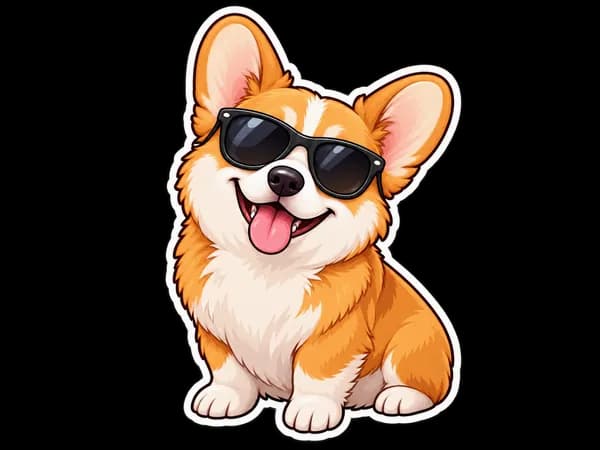
Sticker Maker
Die-cut sticker designs with a white border, exported as transparent PNGs.
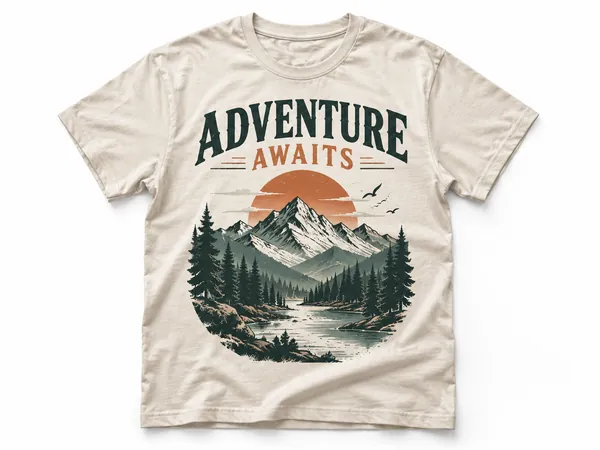
T-Shirt Design Maker
Print-on-demand t-shirt graphics as transparent 4500×5400 PNGs.
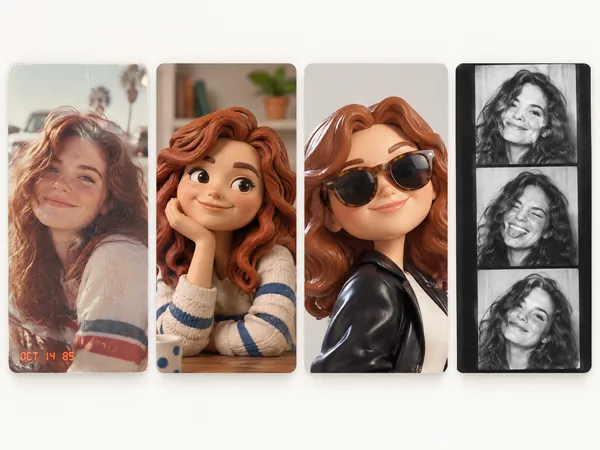
Photo Trend Maker
Turn one photo into an 80s snapshot, a claymation world, a photo booth strip and 22 more trending looks.